In Windows 8 you may connect your Windows Live ID to your Windows 8 account.
This is an essential feature of the operating system and allows the user to roam on devices.
I reccomend doing this to get the best Windows 8 experience.
This is how you do it
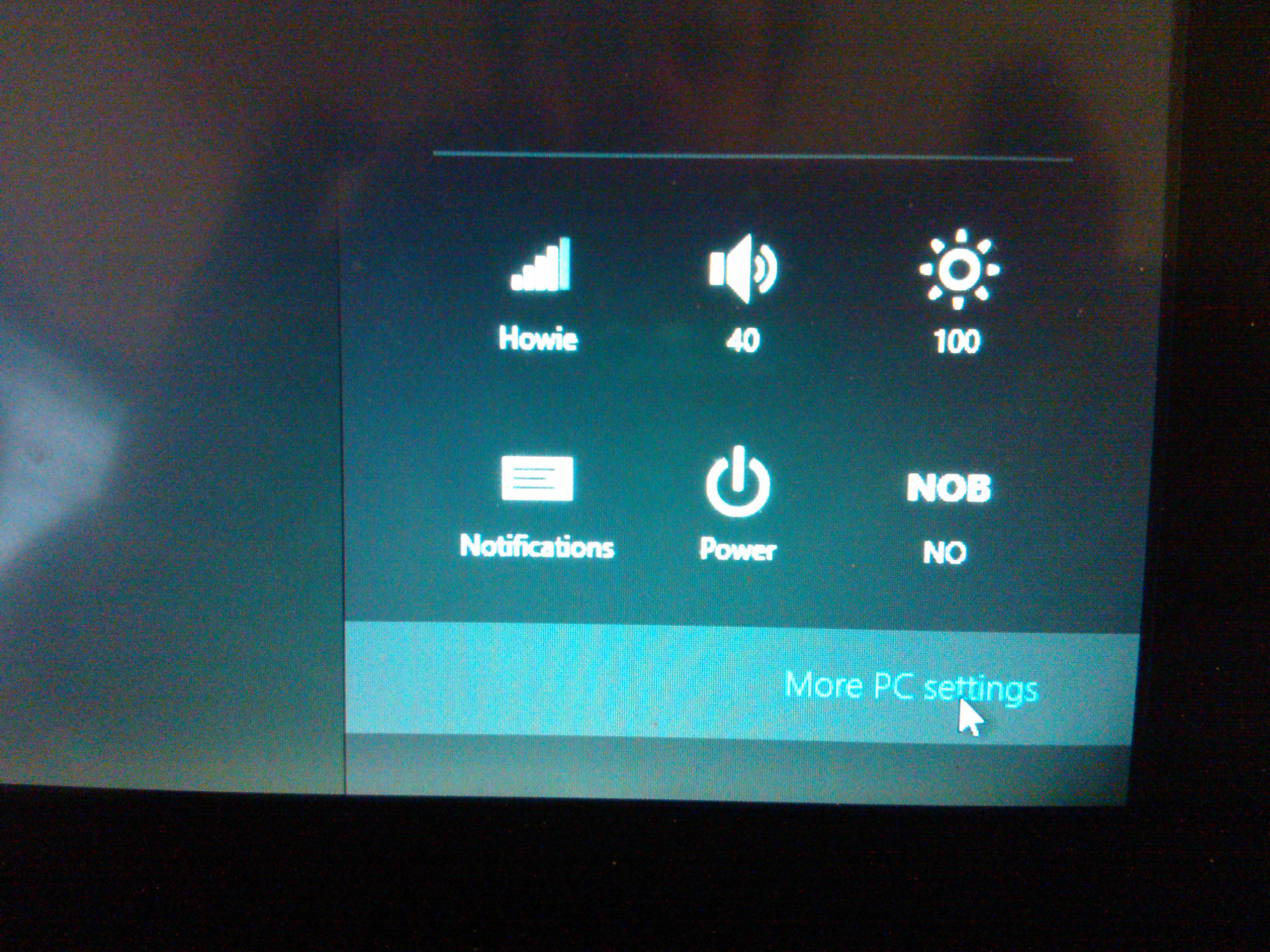
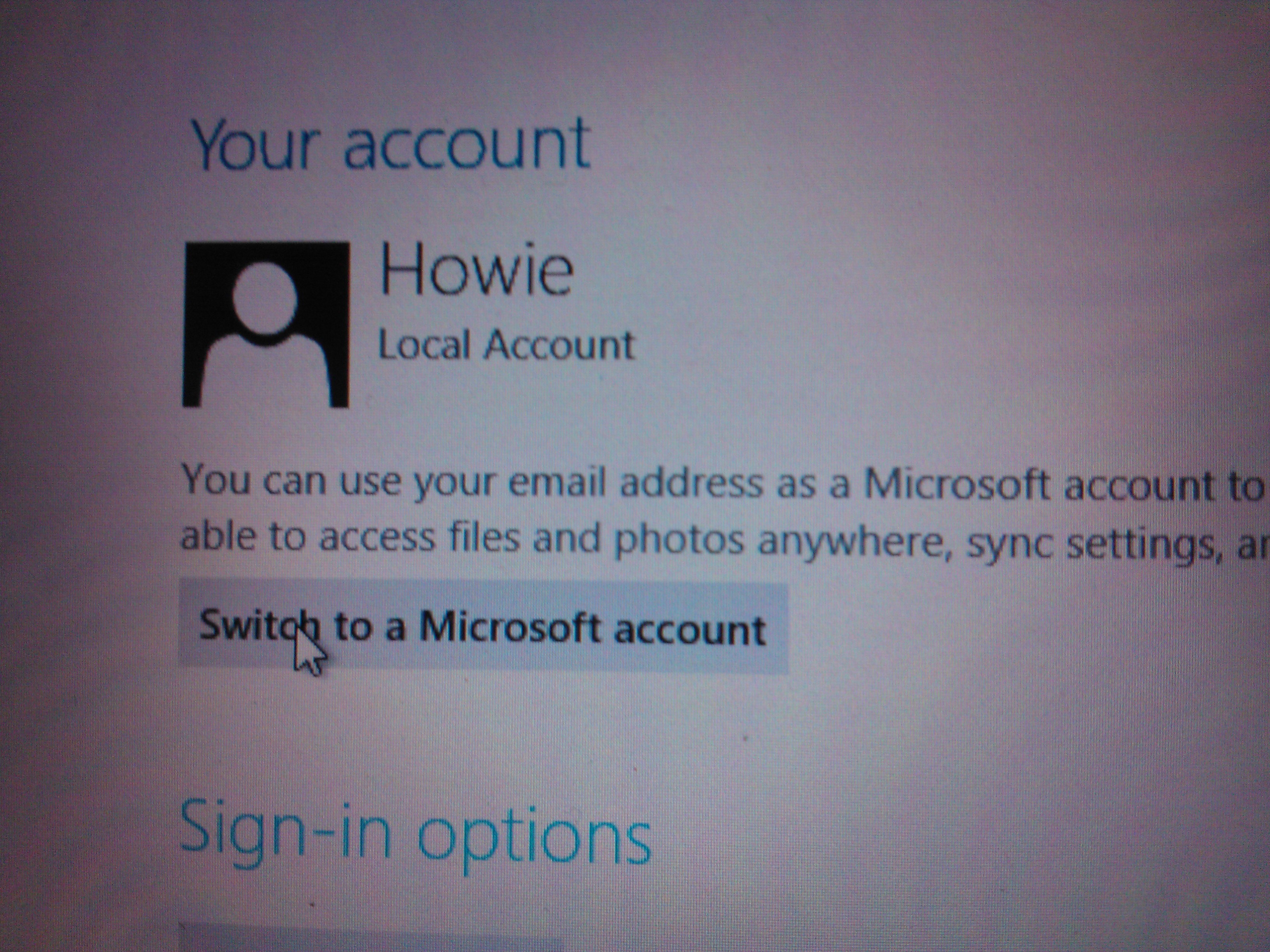
Put the cursor in the bottom right corner to find the charms and click settingsClick more pc settingsClick on Usersclick on switch to Microsoft Account (aka Windows Live ID)You may have to verify ownership by inputting your cell phone numberEnter your Windows Live ID email and Password (e.g. your MSN account or Hotmail account)My Live ID is in sync on this computer
The art of making a Windows Phone App with little or no coding at all.
Index: Code sample Step 1 – Find the object you want to click on. You find this object in the “Objects and Timeline” Step 2 – Select the Item and click the “Event button” Step 3 – Create touch tap event Step 4 – Copy/Pasta code
How to navigate from your app into a website using your phone browser.
Here is a picture of what happens in my app:
Step 1 inside the app
Step 2 in the click goes to a website
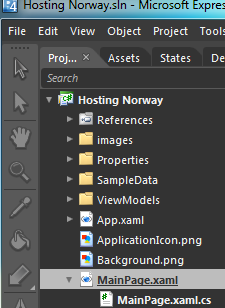
Mainpage.xaml og mainpage.cs you find here in Expression blend
So, what is going on.
First, for all pro coders here is the what I did: -dont panic, its just copy pasta, I promise that it is easy
In the mainpage.XAML file: StackPanel x:Name=”mms” MouseLeftButtonUp=”mms_click” The StackPanel contains 4 elements, a picture and three text boxes, so when i click on it with it starts an event which i called “mms_click”you can call it anything (e.g. awsomeclickbuttonlol), but remember it for the next step
Ok, breathe…
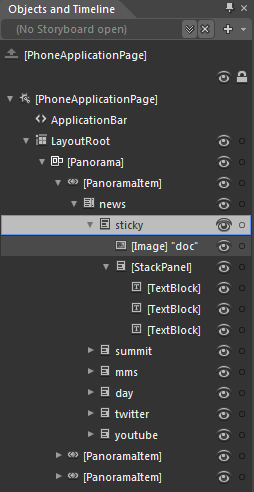
this is how you do it, Step 1 – Find the object you want to click on. You find this object in the “Objects and Timeline”
This is a list over all forms, figures, textblocks and pictures which you may can click on
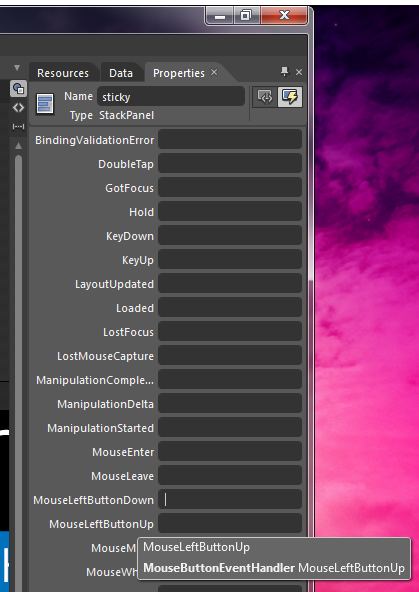
Step 2 – Select the Item and click the “Event button”
Now, there are some options where you have to think logically for a moment.
1. Do I want to launch the browser as soon as I tap the box or do I want it to launch?
2. If you choose MouseLeftButtonDown it will start as soon as you put your finger on it, so if you scroll or just rest your finger accidentally it will launch
3. if you choose MouseLeftButtonUp you may rest your finger on the object and even scroll. it will only launch if you tap the object. this is my reccomended option
you find the event button here
you only use MouseLeftButtonDown or MouseLeftButtonDown – so easy!!!
Step 3 – Create touch tap event
Use your prefered name for the event, but remember you can only use this name once. This name will then execute only one designated action.
You may choose between two different types of Clicks, I reccomend MouseLeftButtonUp
Now, dont panic because this will happen automatically after you enter a name.
the file mainpage.cs.xaml will open and display…. CODE… DO NOT PANIC – its only copy/paste from this aricle that is needed.
Step 4 – Copy/Pasta code
Now you see the green line, replace this line with the code supplied above and just change the url to what you want the target to be.
This code window will open automatically once you entered a name for the eventRelax and just copy pasta these three lines over the green one, no code needed
Then:
1. Save the Project
2. Click Project – Build
3. Click Project – Run
The emulator will open and once its open your app starts loading. Once loaded try clicking on the Object you just created a click event on.
I made this entire object clickable
For more code help, use interwebs and copy pasta.
I used this guy for reference, but did not understand anything untill the two code examples in the end. I did some modification on the code to make it easier in my example. http://chriskoenig.net/2010/05/16/wp7-part-3-navigation/
Microsoft sitt Premier deployment team kjører Office365 Multi-Tenant for ASP-partnere basert på “Office 365 Deployment Gude for Enterprises”
Multi-Tenant løsningen er utviklet av Microsoft Permier Deployment teamet og vi gir en 3 dagers innføring i:
Planlegging, forberedelse og migreringsfasene for deployment av Microsoft Office 365
The art of making a Windows Phone App with little or no coding at all.
Welcome to this tutorial for those of you that just want to create something fast and easy.
If you have used PowerPoint or shapes/figures in Word, then you are set for this tutorial
You have to create an account for Marketplace in order to release your app. The price in Norway is 819NOK.
This process takes some time and require a credit card. Once completed the account validation takes some time aswell.
Start this before you code so there is no snag when you want to release your app
Microsoft Lync Server 2010 Multitenant pack for Partner Hosting.
Dette er en utvidelse av Lync server 2010 som er designet med tanke på system integratorer eller driftspartnere som vil spesialiser sin Lync 2010 løsning for et ASP-miljø.
Strategiforanding i Exchange teamet om /hosting har tilgjengligjort et behov for å få en god delt Exchange løsning som passer med multitenant perspektivet til driftsleverandører.
I Exchange SP2 så har teamet lasert whitepapers og guider for å hjelpe ASP-leverandører med å bygge en multitenant cloud løsning og foreslå løsninger på problemer som oppstår når man drifter i delt miljø.
You can use these shortcuts when any window is open:
Windows logo key+AAccepts an incoming invitation Windows logo key+XDecline an invitation and change status to Do Not Disturb (my favourite) Ctrl+Alt+Spacebar Take back control when sharing your screen Ctrl+Shift+S Stop sharing your screen
Lync Main Window
You can use these when the Lync main window is in the foreground:
Ctrl+1 Go to the Contact list tab Ctrl+2 Go to the Activity Feeds tab Ctrl+3 Go to the Conversation list tab Ctrl+4 Go to the Phone tab Alt+A View all conversations when in the Conversation list tab Alt+D View missed calls when in Conversation list tab Ctrl+1 or Ctrl+Shift+1 As a delegate, transfer a call to another person’s work number
Conversation Window
You can use the following keyboard shortcuts while in the Conversation window:
Alt+l Invite a contact to an existing conversation Alt+F4 Close the conversation window Alt+D Decline a file that has been sent Alt+P Open a file that has been received Ctrl+R Show or hide the participate list










You must be logged in to post a comment.