Search

Håvard Siegel Haukeberg

Paste life: Ctrl+C -> Ctrl+V

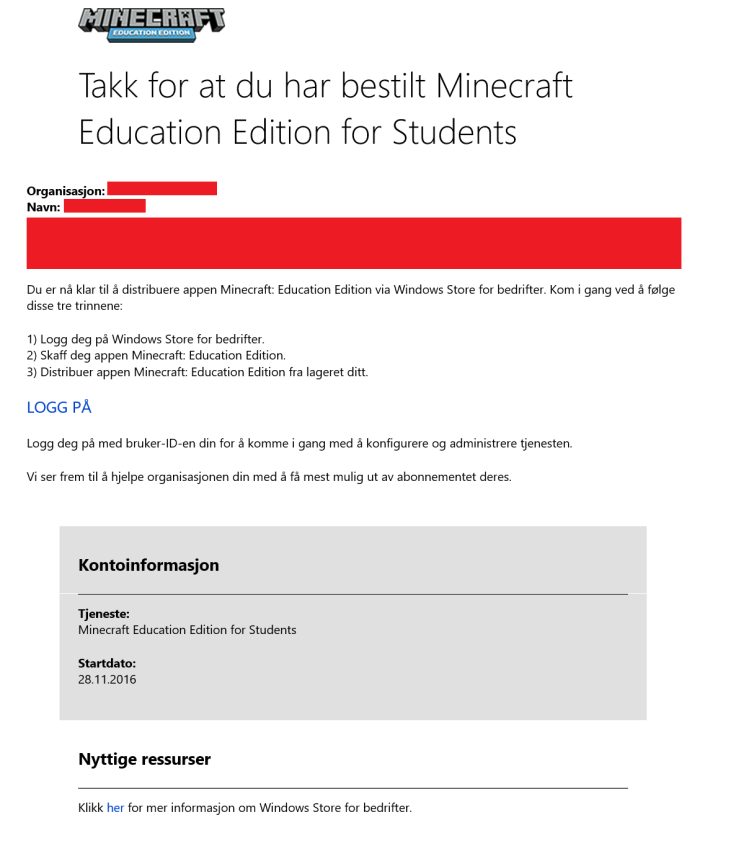
Minecraft Education Edition Activation Emails

If you have ordered Minecraft Education Edition on EES you will get an activation email which places your licenses in Windows Store for Business

The sender is: Microsoft Online Services Team msonlineservicesteam@email.microsoftonline.com

One mail is for Faculty
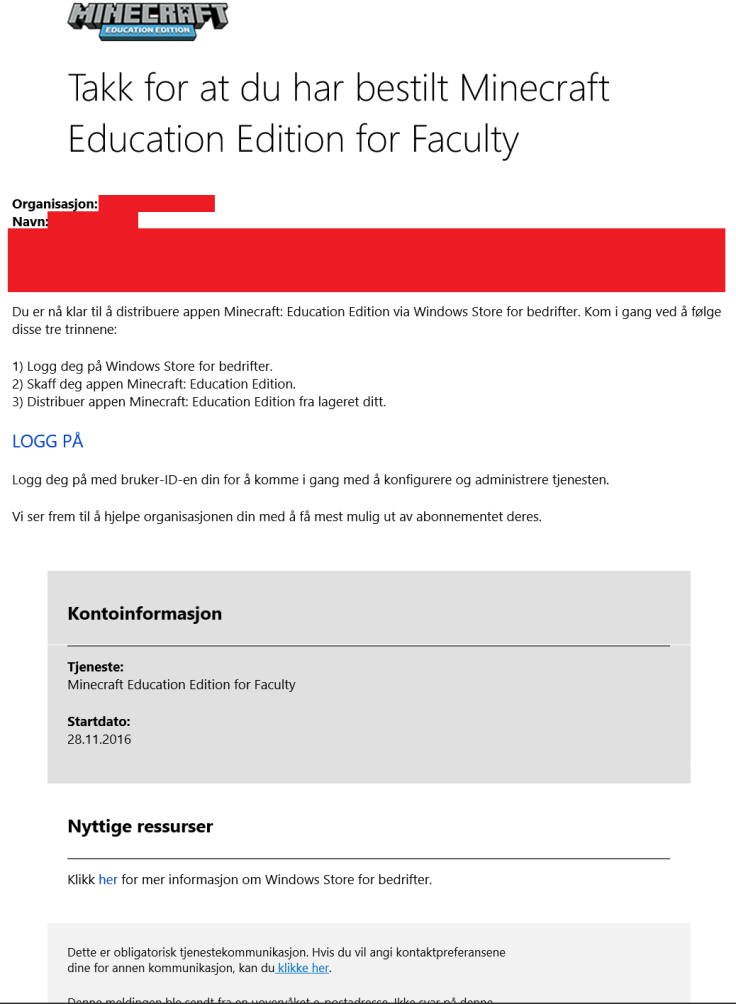
activation-mail-minecraft-faculty

One is for Students

activation-mail-minecraft-students

Remember to open your browser in “incognito” or “in-private” mode Ctrl+Shift+P (Edge or IE) then shut down all other browser windows before you click the link. this way you prevent your licenses from ending up in the wrong place.

Thinking about Rubber Spray – Liquid Gum?

Some of you have probably seen cans with rubber spray or heard about a spray that you can spray on and peel off. Guess what, it is all true and it works great!

I bought a can of it at Jula http://www.jula.no/catalog/bygg-og-maling/maling-og-fugemasse/spraymaling/spraylakk/gummispray-623115/

Remember this before you start:

  1. Try first, try in on a similar material
  2. YOU MUST PUT ATLEAST 3 COATINGS
  3. Buy enough cans, you have limited time to apply after each coating

The spray does not work if you do not put enough coatings, you will not be able to remove it properly. If you are coating a rim, buy some extra cans. You don’t have time to go back to the shop if you run out and it could be very hard to remove the coating

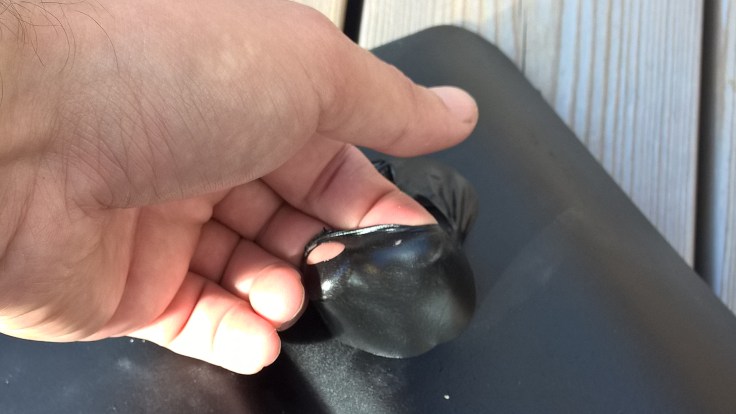
Pictures below from a showel I tried it on. Videos below pictures show both a coarse surface and a smooth surface

wp_20160918_12_16_47_pro_liwp_20160918_12_14_24_pro_li

Coarse surface – showel:

Smooth surface:

Tesla Model X 6 seat configuration – skis

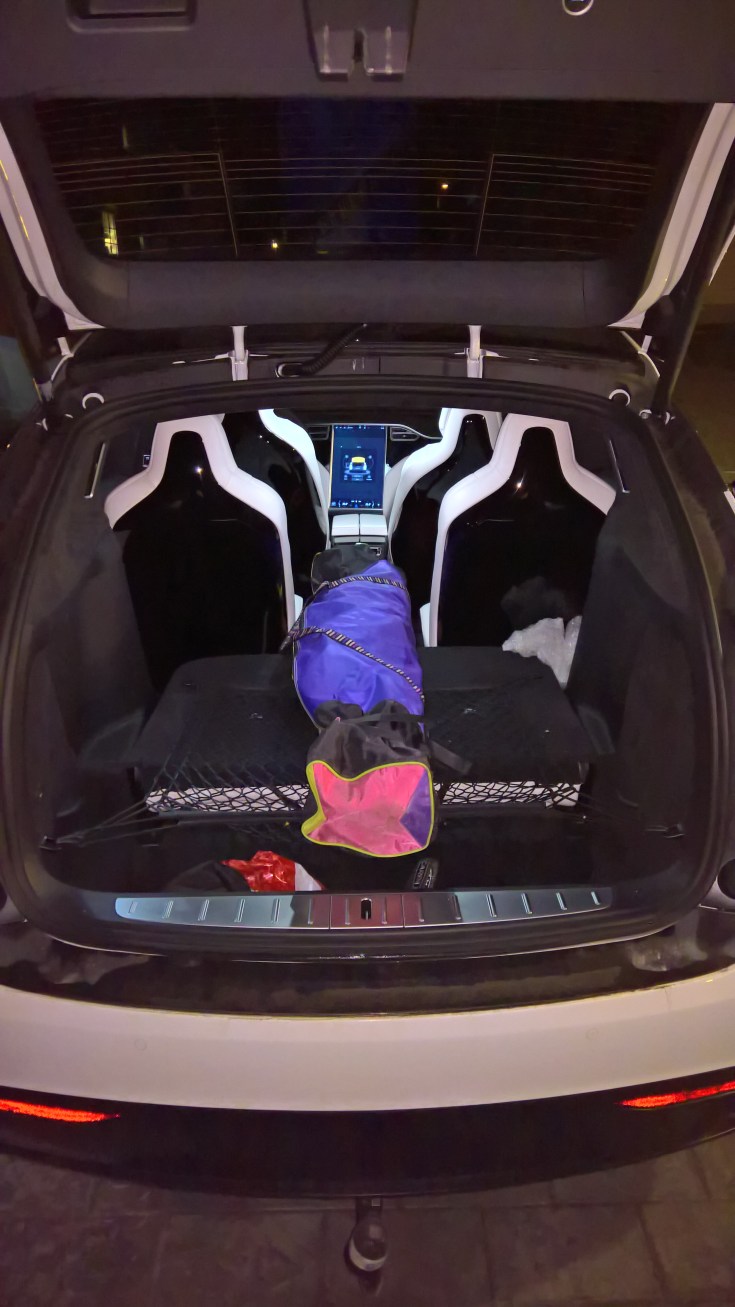
If you are thinking about which seat configuration to get with your Tesla Model X, here is a picture of the 6-seat version which allows for skis to be positioned in the middle while keeping the second row seats.

You might ask yourself, why not a ski hitch? For me, two simple reasons

  1. I had to buy it extra
  2. My skis will get incredible dirty from the drive

wp_20170118_21_25_30_pro_li

In the bag there are 2 pair of Telemark skis which are about 170cm long. There is plenty of more space for even longer Cross Country skis or Snowboards. You could even keep one third row seat up and allow for 5 passengers.

Use the security mesh to hold down and stow away the skiboots in the deep part of the trunk.

wp_20170118_21_25_46_pro_li

Towing with Tesla Model X – 7 pin adapter

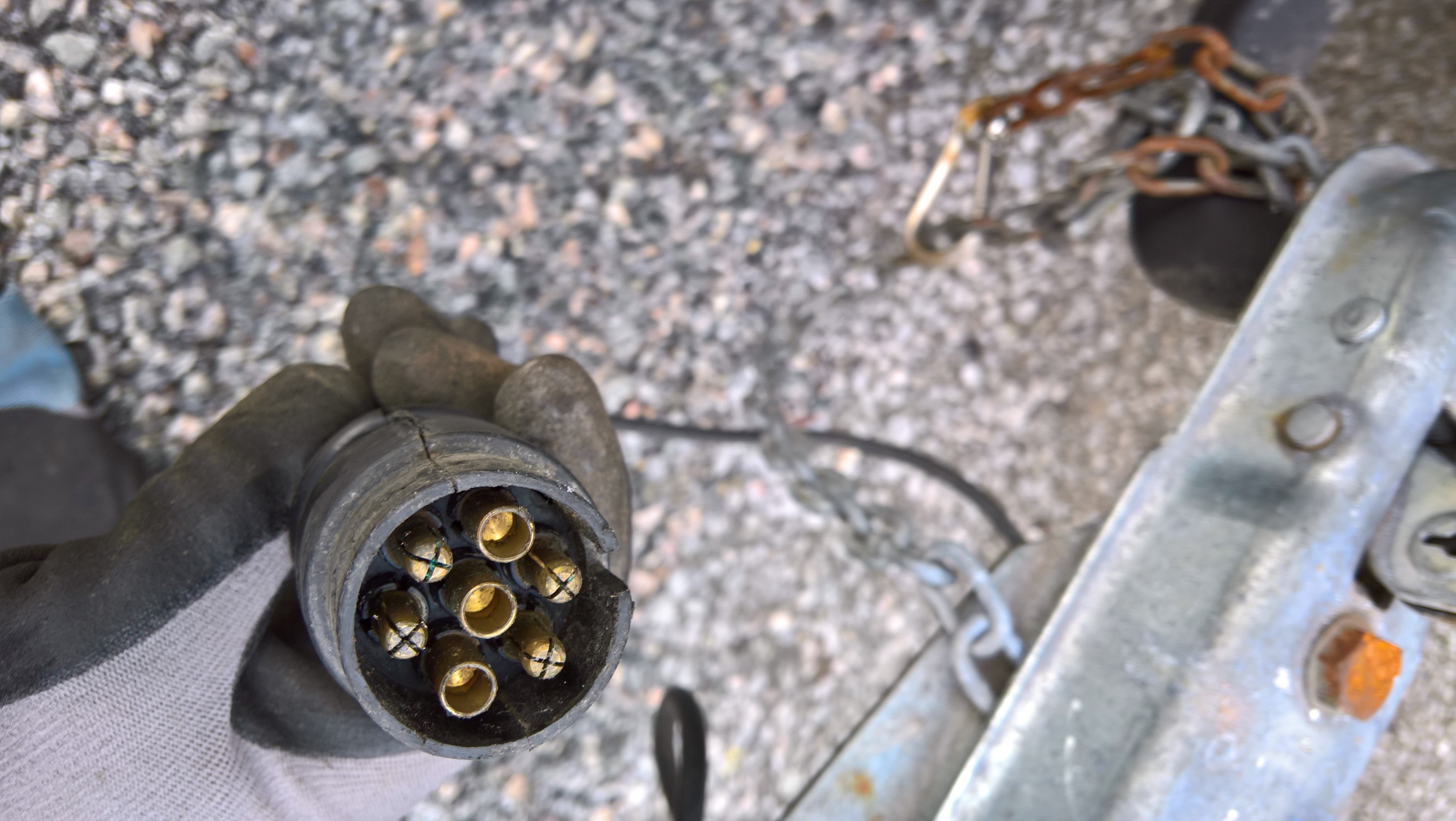
The Tesla Model X comes with a new 13-pin female connector and most older trailers have a old 7 pin male connector.

wp_20170114_12_12_11_rich_li

You need to buy an adapter at Biltema or Jula.  Here is the adapter you need

http://www.biltema.no/no/Fritid/Campingvogn-og-bobil/Elektrisk-12V/Adapter-2000016506/

When you insert the adapter try to push the original lid behind the plastic bottom case as in the picture. This is the only way to get the adapter to fit the plug without the original lid getting in the way.

Once you have connected your trailer and hooked it up, go into the Tesla and make sure that Towing mode is on

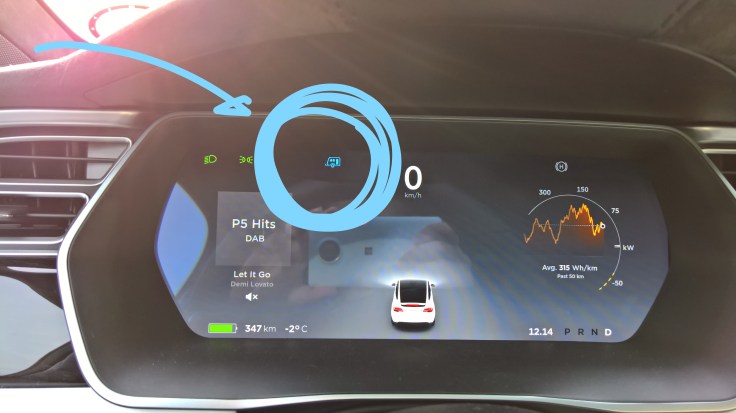
Once you connect a cable the car automatically enters into “Towing mode” if it does not do this, go to:  Controls->Driving->Towing Modetowing-mode

Once you have on towing mode, go drive. You can use your rear view camera to keep an eye on your trailer

How to get Minecraft Education Edition Trial

If you want to get Minecraft Education Edition Trial this is what you need to do:

Note, this solution is for the free 25 licenses trial and does not use windows store for business for deployment

First make sure you have this:

  1. Office 365 Education Account
  2. User with Office 365 Education Faculty License Assigned

Download Minecraft EE here: http://education.minecraft.net/get-started/download/

Save the Zip file and right click on the “InstallMInecraftEducationEdition” and select “Run as Administrator”

files

This will happen:

powershell

Start Minecraft:

minecraft-installed

Login to minecraft and accept eula

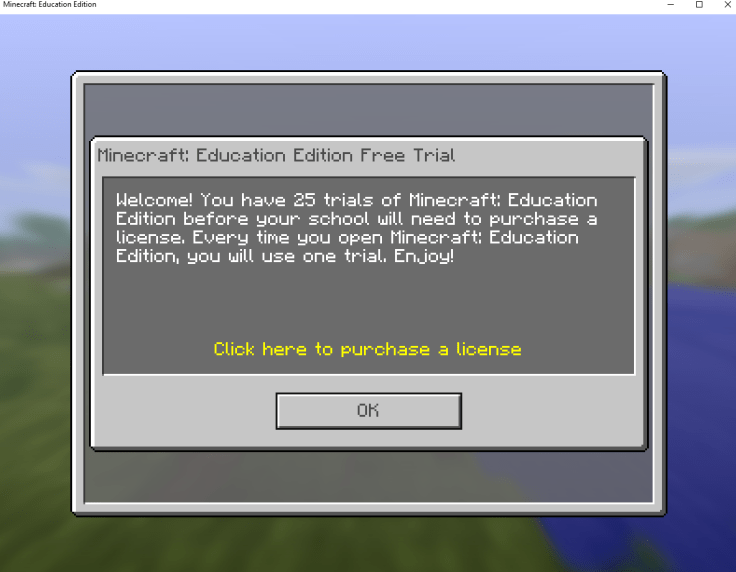
Now you have 25 test licenses to showcase Minecraft Education Edition:

minecraft-trial

Go ahead and set up your world to play.

First time playing? Download a tutorial world here:

https://education.minecraft.net/worlds/tutorial-world/

tutorial-world

Deploy OneNote learning tools with Intune

Great news, Learning tools come as an MSI package!

This is how you use Intune to deploy OneNote learning toolslearning-tools-bar

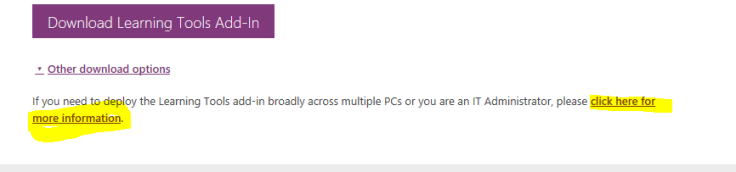
  1. Download the tool from http://onenote.com/learningtools
  2. other-downloadmore-info
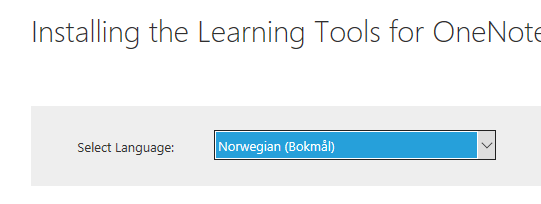
    choose-language
    you can change language to Norsk

    save-msi
    save it
  3. go to http://manage.microsoft.comappsadd-appadd-app-settings


If you are updating machines use the following argument:

  • REINSTALL=ALL REINSTALLMODE=vomus REBOOT=ReallySuppress UILevel=2

If you are installing fresh use the following argument:

  • LearningTools.msi /quiet /norestart


Really Smart AC & Heatpump control

So, I just made my AC (Toshiba Daiseikai) really smart!

AirPatrol AC WiFi remote with IR sensor. No need to change anything at all.

Here is the only thing you need: http://www.airpatrol.eu/shop/airpatrol-wifi/

It was super easy and now I can control my AC and heatpump from away and set it to a schedule that will lower the heat during hours of sleep or when we are not at home.

Here is my normal schedule.

  • 22.30-06.00 Night 17 Degrees (save mode)
  • 06.00-08.00 Morning 22 degrees (heat mode)
  • 08.00-15.00 work day (save mode)
  • 15.00-22.30 at home (heat mode)

You can override it at any time with the app.

Drawbacks:

  • It needs power, hence you need to set it up close to an outlet. Its not a standard 220V socket, instad it uses a “cellphone” charger. so cabling can be an issue.
  • It uses IR with your AC unit, so it needs to be in line of sight of the unit.


Send your Office 365 users to your branded portal

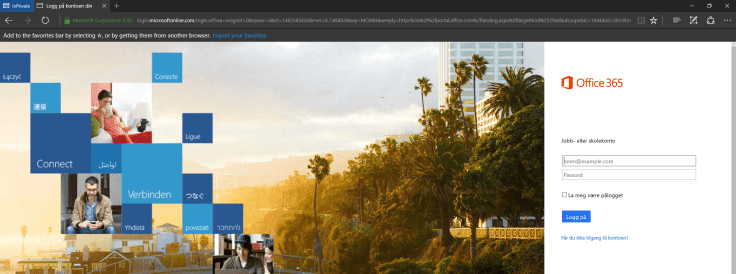
If you have set up Office 365 and want your users to be automatically redirected to your company branded Office 365 logon portal here is what you need to do

1-dns-settings-for-office-365-www-redirect
Go into your DNS settings at your registrar

You may use the following destination for your www-forwarding in order to get to your portal:

  1. https://outlook.office365.com/owa/?realm=haukeberg.no

  2. https://outlook.com/haukeberg.no

Note that I can turn on URL cloaking, which means the user will allways see my domain (epost.haukeberg.no) in the URL header when he navigates the site. There are some benefits and drawbacks to this

If you can not find your WWW-forwarding settings, use a CNAME post instead. Here is what you need:

4-cname-post-for-365
If you can not find WWW-forwarding

The destination is:

  1. Outlook.office365.com

Result is as follows:

2-standard-login-365-no-branding
Standard Office 365 portal
3-custom-branding-office-365-portal
Already branded Office 365 portal

Adapted from: https://blogs.technet.microsoft.com/kpalmvig/2011/09/15/easy-url-for-office-365-owa/

Connecting the Smart Garage door – Step 3

Connecting the garage door with right cable and can be tricky since there are no manual for your specific Garage door opener. Luckily at https://gates.gogogate.com/gates.php there is a garage compatibility lookup tool.

I simply entered my Hormann ProMatic 3 and I got a easy to understand wiring diagram

wire-diagram


Lucky me. If I did not have this there is no way I would find this out by myself. This configurator should be showcased on the front page in my opinion.

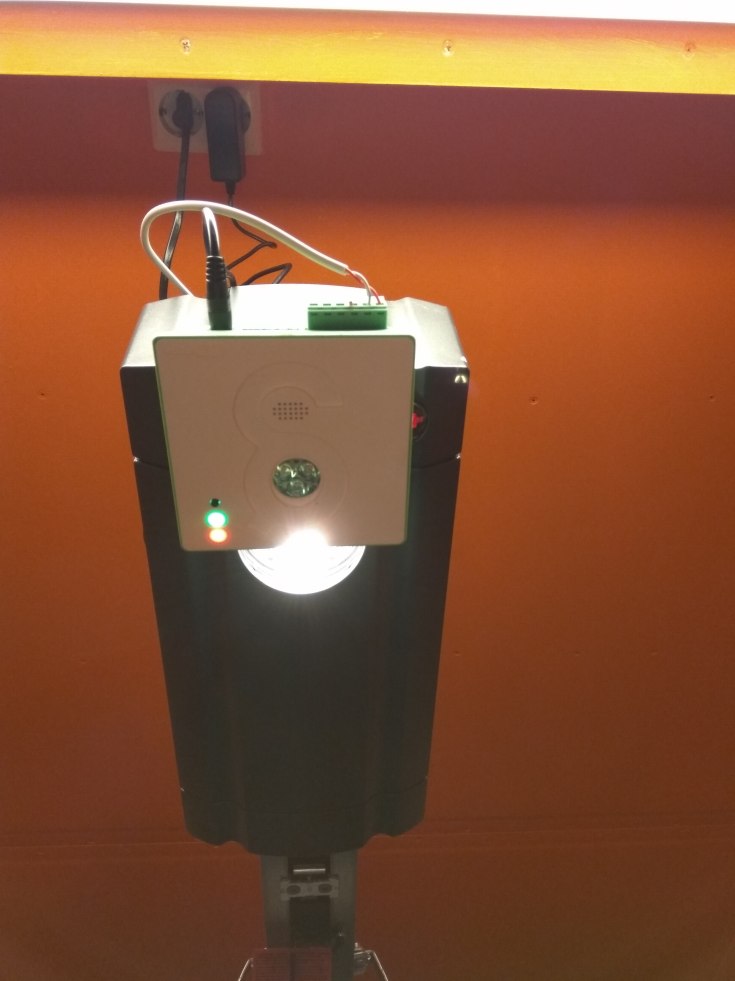
The rest was easy, I simply put the cables in and there, done! used the adhesive pad to stick the sensor underneath the opener. Not very beautiful but, it is only a garage 🙂

img_20161218_192846img_20161218_220725

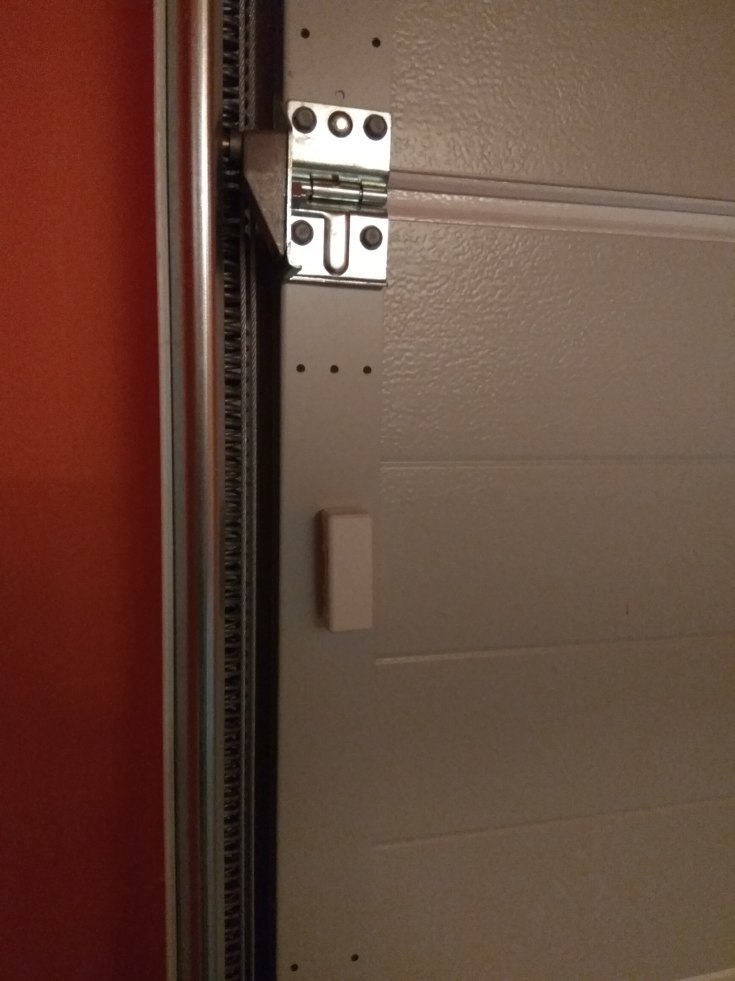
Don’t forget that you need to place the door open/closed sensor on the garage door itself. IMPORTANT that you place the sensor on the middle of the door. Some doors tend to be tilted and the sensor might give off a wrong reading if it is on the top.

img_20161207_220651

Blog at WordPress.com.

Up ↑