Once you have set up the Cloud App Discovery feature then the service will send admins a weekly report with new apps and a one-button click to start managing them.
Here is what I used last week:
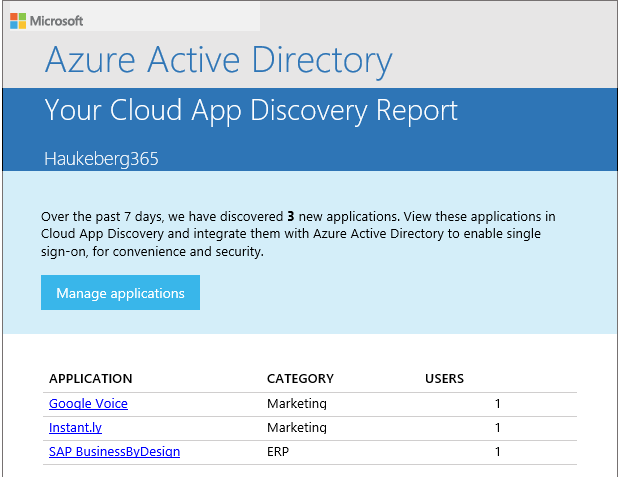
Once you have set up the Cloud App Discovery feature then the service will send admins a weekly report with new apps and a one-button click to start managing them.
Here is what I used last week:

Hey, are you a municipality, county or another complex organization? Do you have education users and corporate users and want all of them to be in the same Azure AD?
Good news for you. It’s possible!

Here is proof that it works:


In Azure AD you have this service called Cloud App Discover. It consist of an agent you install on a local machine and a web service which polls the data and visualizes it.
Take a look at this:
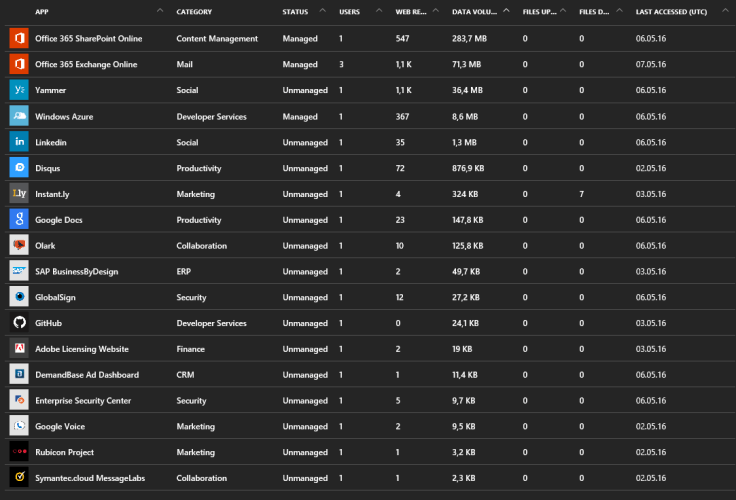
This service is a great way to discover what your employees/users/students/family really uses and how much they use it. e.g. You have bought Google apps, but your users use OneDrive or Box.
You can read more here: https://azure.microsoft.com/nb-no/documentation/articles/active-directory-cloudappdiscovery-whatis/
I did not know I even used all these services. And best of all you can manage them with Azure AD which means you can use your Office 365 credentials to logon to these services.
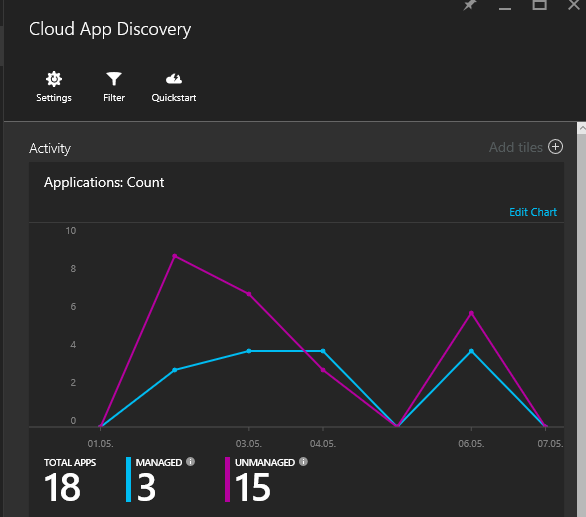
Here is how you set up cloud discovery on a local machine:


Remember that if you want to distribute this application you need to include the CERT file as well.

So, waking up to leaked credentials can be frustrating. Probably since you do not know how exactly they got leaked. Fortunatly Azure AD have some sugestions on what to do.
Read more about leaked credentials here:
This is what it looks like in Azure Identity Protection and how you mitigate the impact:

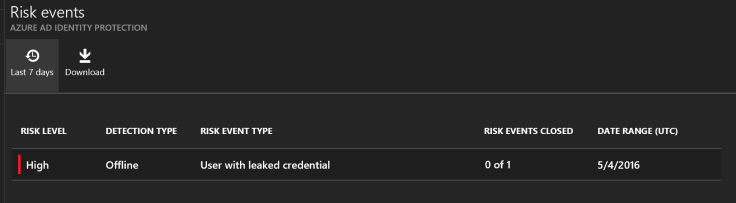
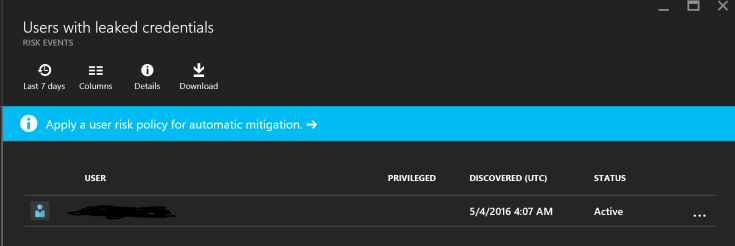

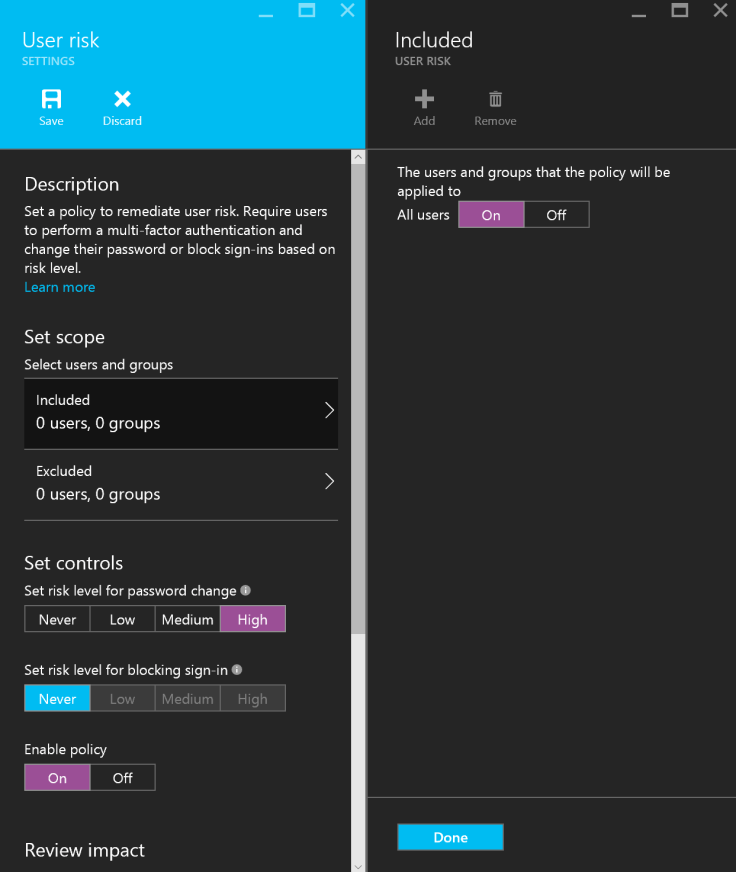
I simply requested the user for a password change. Keep in mind that the malware that did this might have stolen all other passwords as well. It might also be active on the target device, så MFA might be something you should consider.
Also have the user change passwords on all other services he uses!
And, have him wipe his device!
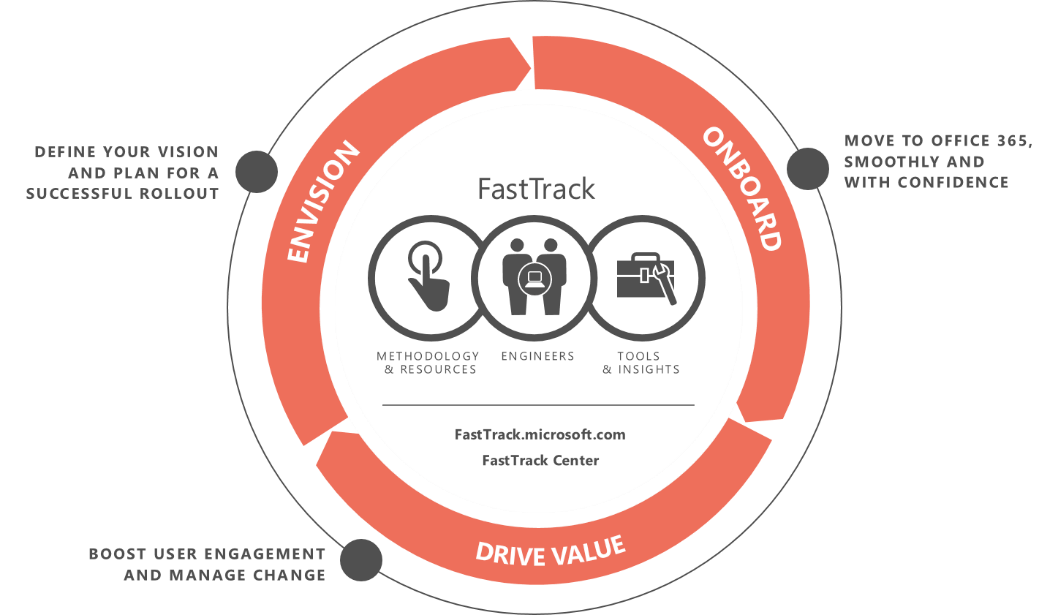
In order to be eligible for the adoption funds you need to have a success plan owner on your success plan and that owner need to be from the customer email-domain.
Here is how you as a PARTNER can do it:


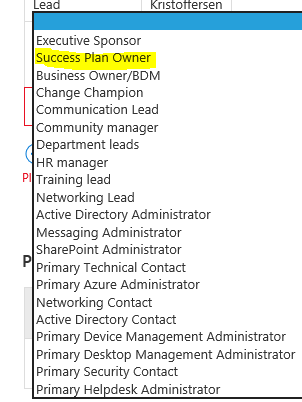
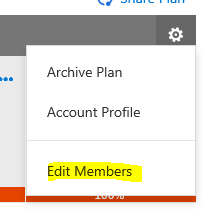
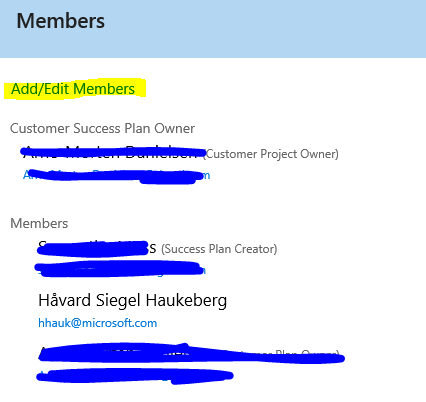
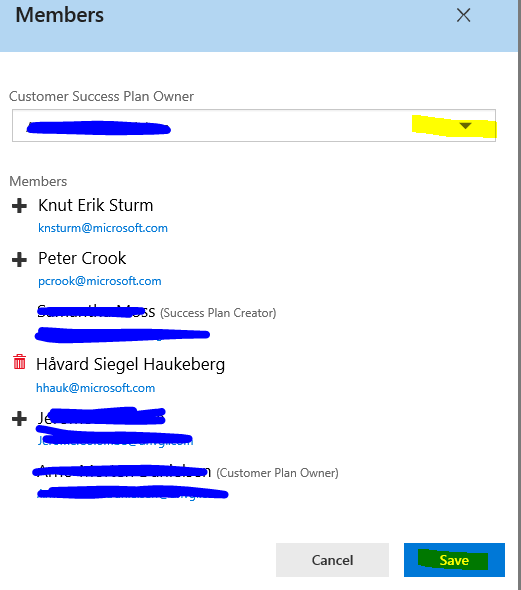
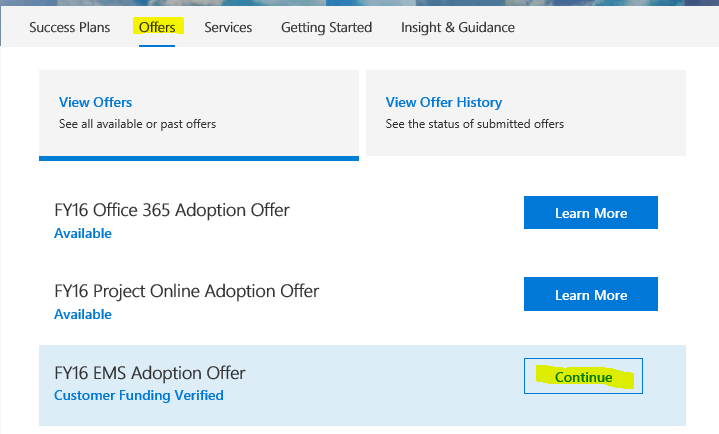

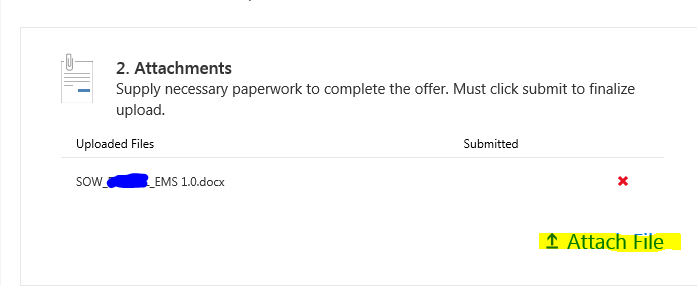
Customer Success Plan Owner now has to approve the project in the fasttrack portal.

Finse must be one of the most perfect places to go Kite Surfing! You take the train from Oslo S and little over 4 hours later you walk of the station at Finse. You simply walk 10 meters and you are inside the finse 1222 hotel.
The Hotel is a bit pricy so try to go off season if you do not want to spend a lot of cash.


The wind and weather can be shifting and we went from no wind to 12 ms in the same day.


There is also not unlimited room here, so on a good day it might get crowded.


If you do not have a kite, thats okay. Just rent one here.
After you are done kiting, enjoy reading about the Star Wars filming here back in the 80s. They have Luke Skywalker’s hat on display.


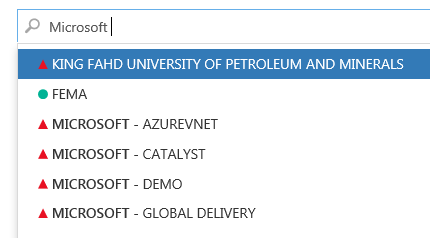

I have wrapped a EXE file (OfficeProPlus click 2 run) in a MSI wrapper. I have used a Certificate and signed the MSI and now I am going to use Microsoft Intune to push out the installation on PC’s.
Go to manage.microsoft.com and click Apps->Select Apps->Click Add an App
Launch the software wizard and log on.
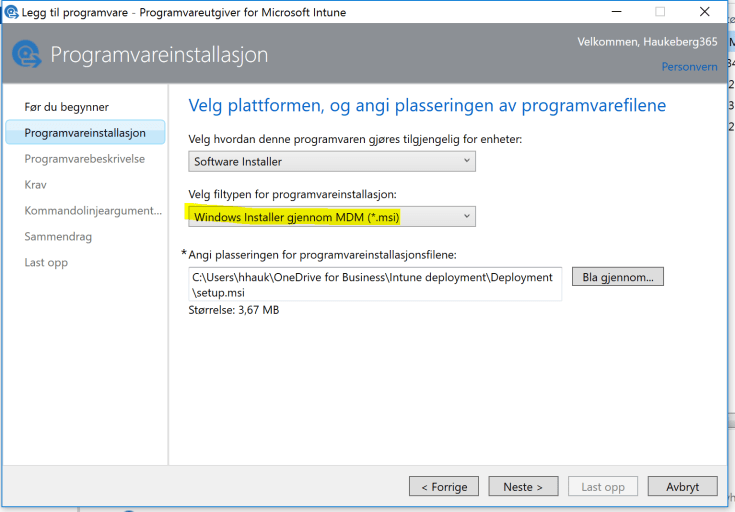
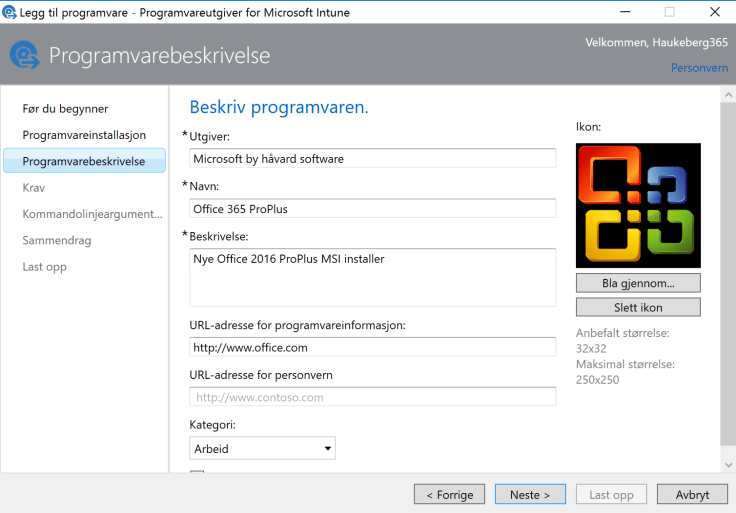

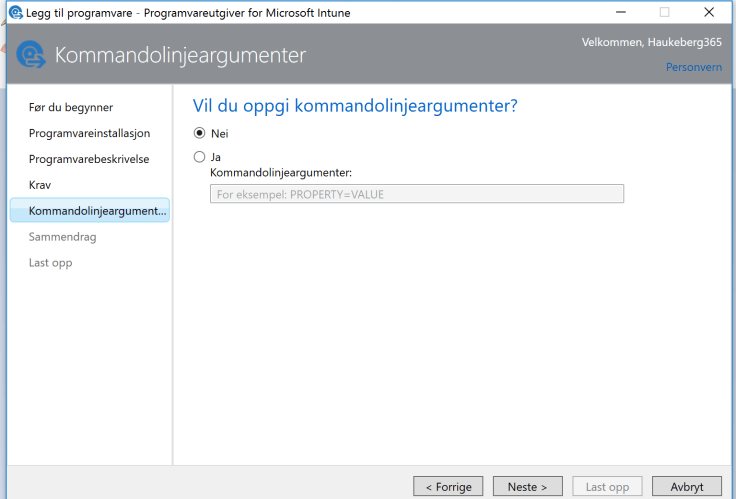
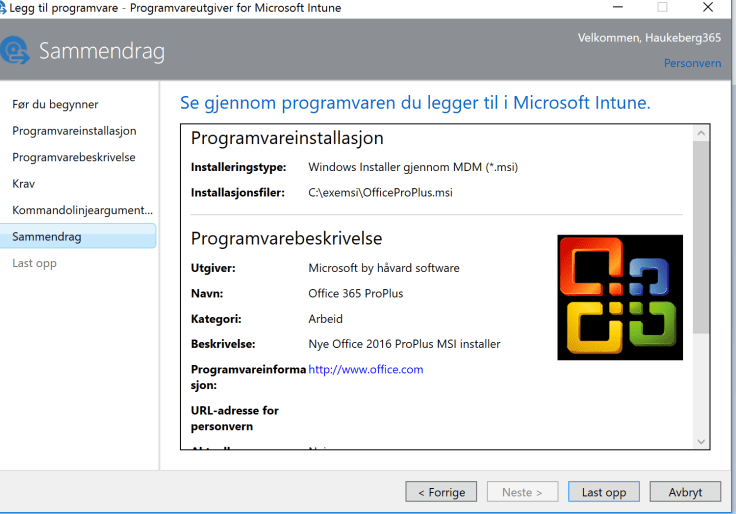
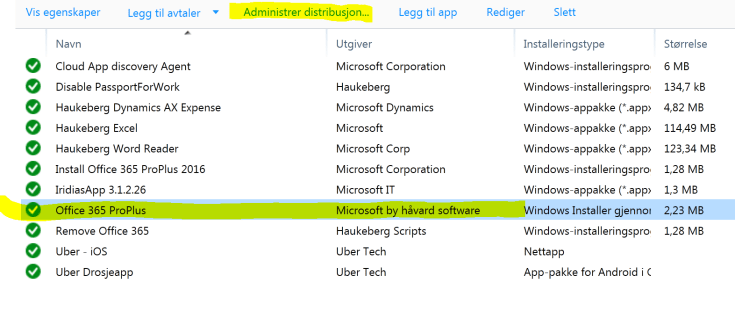

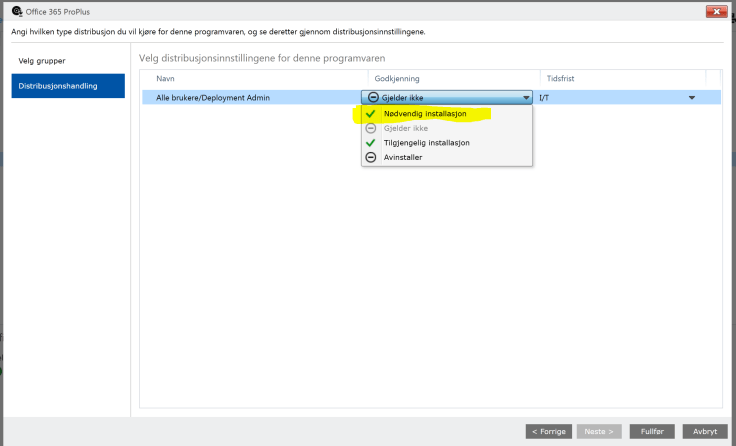
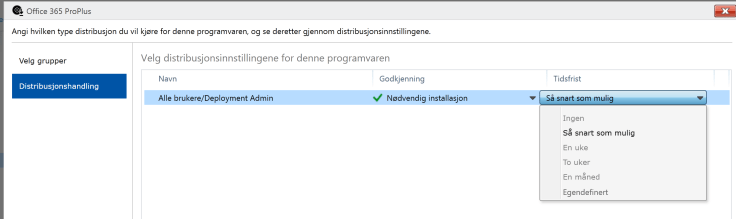
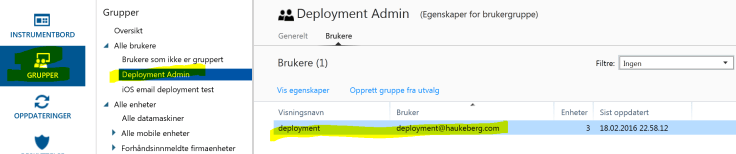
If you want to use Microsoft Intune to deploy a MSI file it needs to be signed by a Code Signing Certificate. Most MSI’s from software vendors are signed already, but if you created a custom MSI (e.g. Office 365) by wrapping an EXE then you need to sign that MSI.
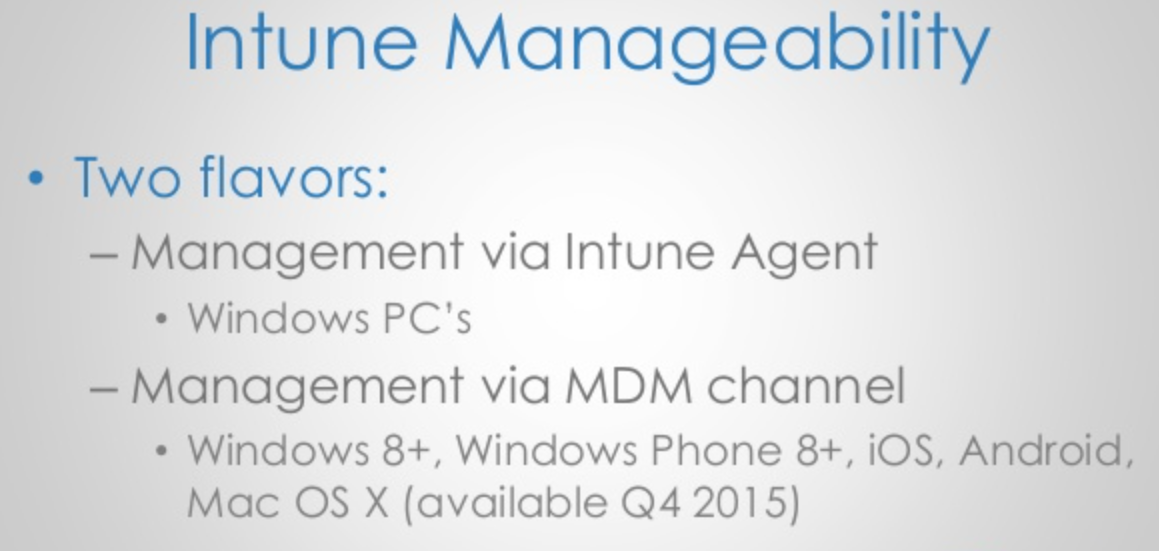
Using a MSI will enable Intune to push that software using the MDM channel. All MDM joined PC’s will be able to recieve this software.
Scenario this covers: I want to use Microsoft Intune to deploy apps and exe files to PC’s e.g. Office 2016/Custom Software
Step 1 – Buy or get a code certificate. If you do not have it, buy it here: https://www.digicert.com/code-signing/
Step 2 – Download and Install Windows 7 SDK to get the signtool.exe get the SDK from here: https://www.microsoft.com/en-us/download/confirmation.aspx?id=8279
->Accept all defaults and do not change anything. It will prompt errors
->Check that you have the signtool.exe in this folder: C:\Program Files\Microsoft SDKs\Windows\v7.1\Bin
Step 3 – Get your certificate exported in a PXF file. and put it in the same folder as your MSI file.
Step 4 – Run CMD as administrator and input this command:
“C:\Program Files\Microsoft SDKs\Windows\v7.1\Bin\signtool.exe” sign /v /f “c:\exemsi\HaukebergCert.pfx” /p “PASSWORD” /t http://timestamp.digicert.com /v “C:\exemsi\OfficeProPlus.msi

Now you are ready to deploy this MSI file through the MDM channel
Follow this guide to deploy the MSI file in Microsoft Intune MDM channel
Adapted from these posts:
http://www.identityfinder.com/kb/Enterprise-Documentation/823571
https://www.digicert.com/code-signing/signcode-signtool-command-line.htm
 Håvard Siegel Haukeberg
You must be logged in to post a comment.