Search

Håvard Siegel Haukeberg

Paste life: Ctrl+C -> Ctrl+V

Setting up GoGoGate2 app – Step 2

Before you do any physical work with your garage door you need to configure the box, app and share it with the users in your house, here is how the box up:

Remember, you need an additional PC:

This slideshow requires JavaScript.

Here is how you set up the app and connect it you the service.

This slideshow requires JavaScript.

Here is how you add users, so everyone can open the garage door with their phone.

This slideshow requires JavaScript.


The smart garage door – Step 1

I constantly forget to close my garage door and find myself going outside to check if the door has been closed or not. I also want the feature to open my garage for packages that come to my door.

Solution is here:

http://gogogate.com from httphttps://portspesialisten.com/fjernkontroll/gogogate-mobil-fjernkontroll/

I ordered a kit to control 1 garage door. It was a bit confusing actually at Portspesialisten, they just asked me how many sensors I wanted and not what the sensors do. -You need one sensor for each garage door. You can not use the sensor on a regular door.

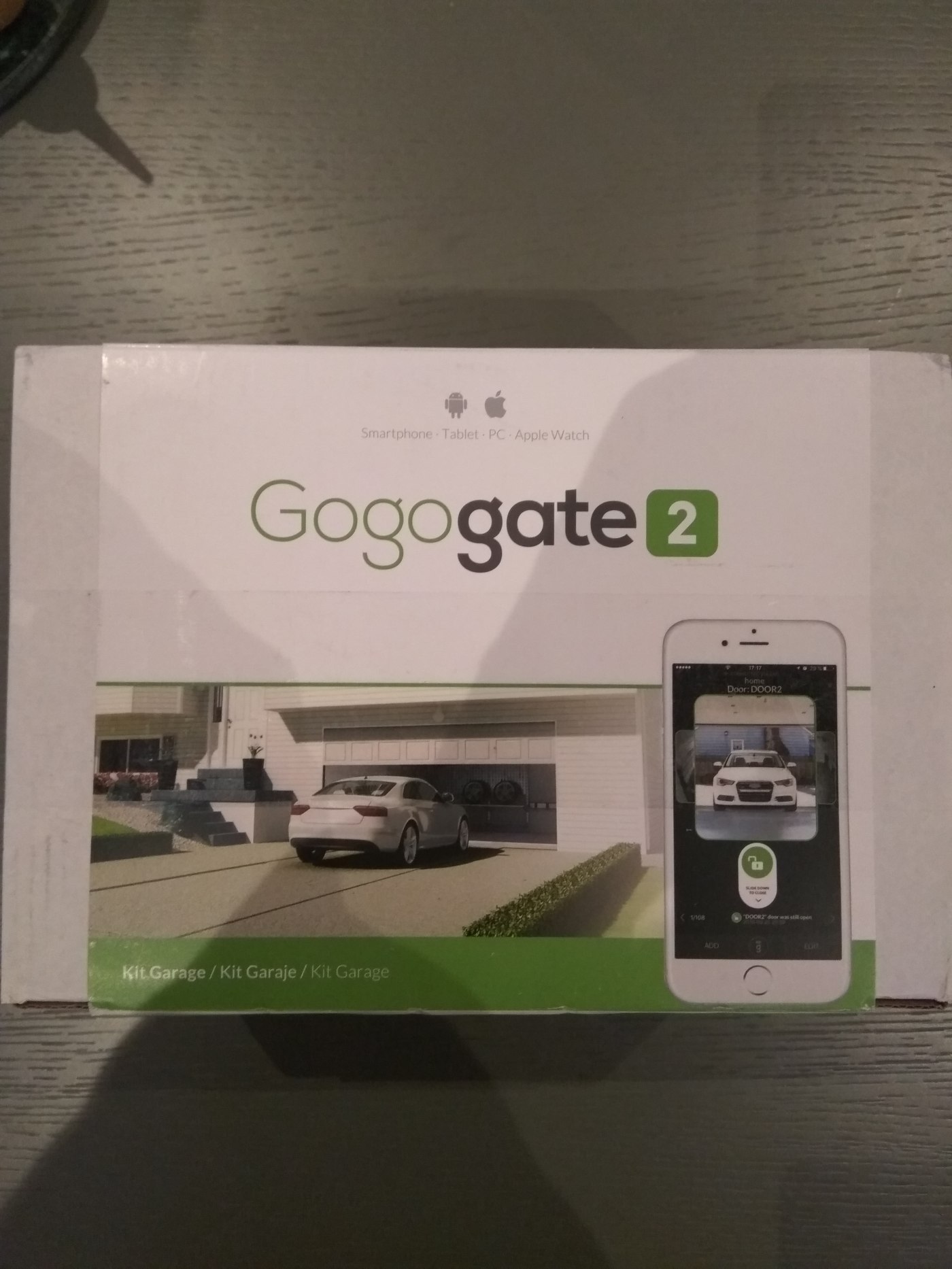
This is the kit that arrived to day:


I will later show how to setup the device and app to report the garage status and how to add other users to the app.

Lastly I will show how to connect it with my existing garage door opener.


Smart Thermostat – Control your floor with your phone

I do not need to heat my floors when I am not home…

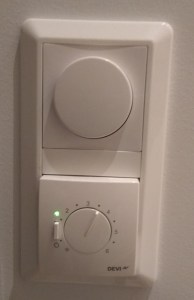
This thing is not smart enough to figure this out:

img_20161128_181619

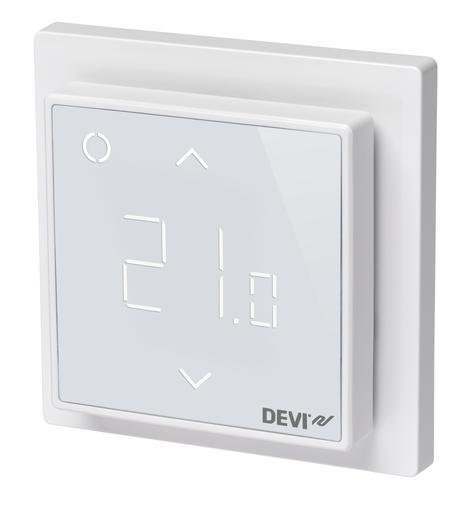
So I went to Billig VVS Webshop and got the DeviReg Smart Thermostat

7004360b2f4dc77d95d82175261852da

It is super smart and I can control all of them using my phone to turn them on or off when on vacation or simply have them turn off during night and during work. It was super easy for me to set this up and I only needed to google one thing in order to set it up properly.

Video here:

Here is the mounting process

  1. Dismount the existing thermostat
  2. Note down the cable settings

    img_20161130_205235

  3. Screw it back on in the same way


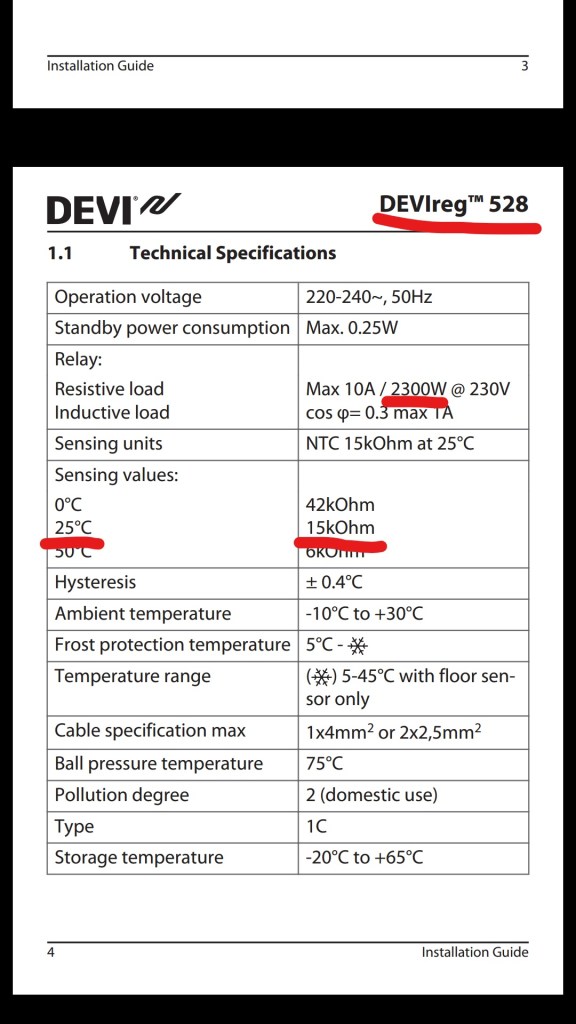
  4. Google your existing thermostat to find out the Resistance of the sensor and heating output. Here is the information from my old sensor: devireg-528
  5.  

    Once that is done, simply turn the power back on and start the setup


  6. Now I can do some really smart things with my thermostat, check this out

Did I just send that? Recall Mail in Outlook

It can happen, you sendt something. Know that if the user opened the mail, you can not do anything about it. However if your mail has not been read you can recall it.

Anyhow, just try this:


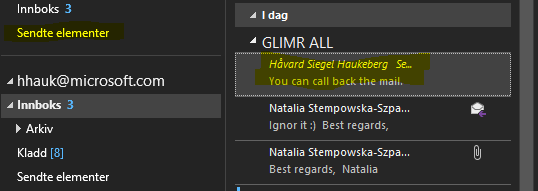
call-back-mail
Ops, should I have sendt that?
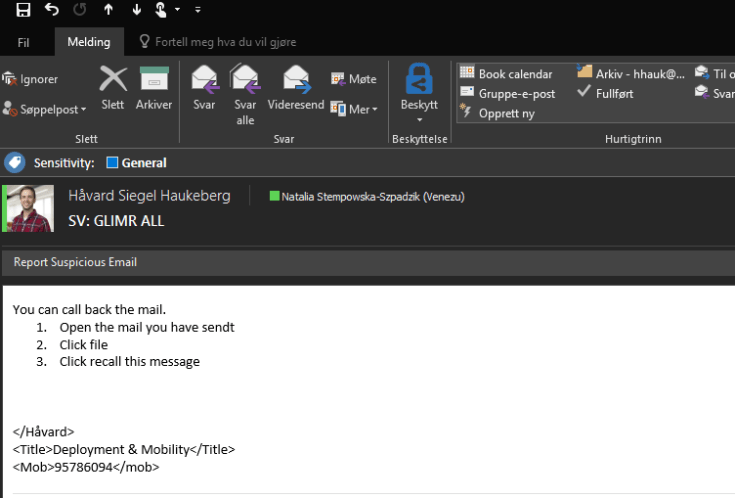
mail
Open the mail


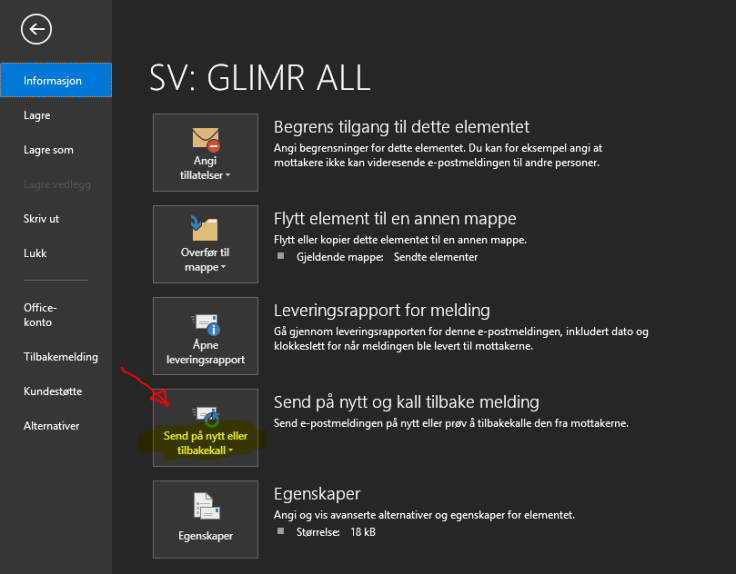
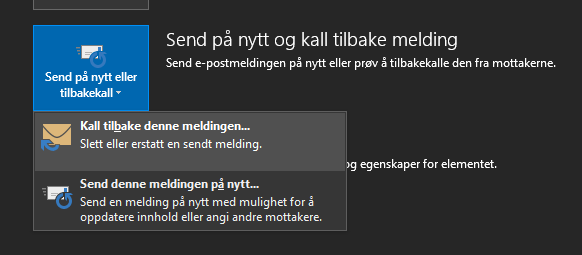
recall
Click file and click the “Recall button”


recall-button-step-2
You can recall and replace if needed
recall-option-outlook
Delete messages and/or replace them with a new one?


Opel Ampera-E launch in Norway

Opel Amper-E visited Norway this week and here are some pictures, thoughts and reflection on the upcoming car.

Finish and Build Quality. Plastic fantastic. It’s easy to see that money went into developing the battery and technical equipment. You have leather seats with generic gray and some colored/textured plastic. It’s not anywhere close to a BMW.


The touchscreen and infotainment system comes in Norwegian local language. yay! The design is so-so. buttons are big and easy to hit while the car is stationary.

Headroom is good in the front and acceptable in the rear. I am 186cm.

Legroom is very good actually. There is plenty of space for 4 passengers. It will be cramped for 5, but it is possible.

Finally, it will be possible for roof mounted boxes or other roof equipment.

img_20161123_085417_hdr

Review Azure MFA or SSPR Activity / Consumption

If you want to know how users are consuming Azure MFA or Self Service Password Reset this is where you find that info:

Self Service Password Reset log:

  1. Go to http://manage.windowsazure.com
  2. Click on Directory
  3. Click on your Azure AD directory
  4. For SSPR click here:sspr-activity

For Azure MFA activity log:

  1. Go to http://manage.windowsazure.com
  2. Click on Directory
  3. Click on your Azure AD directory
  4. Click Configure
  5. Scroll Down to Multi-Factor Authentication and click: Manage Service settings
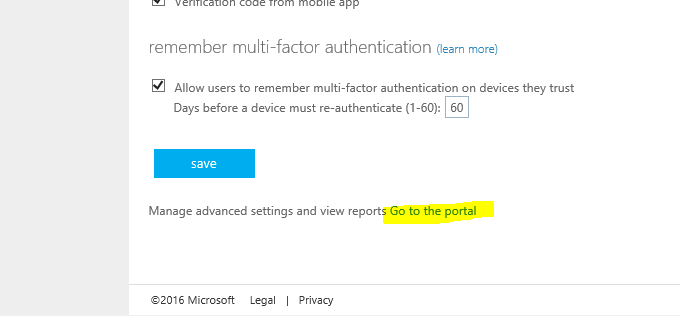
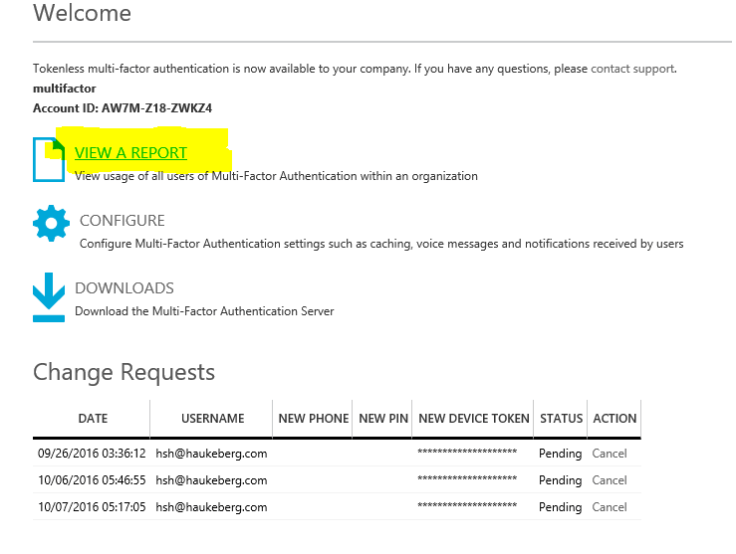
  6. Click “Go to the Portal” at the very bottom
  7. Click View Report
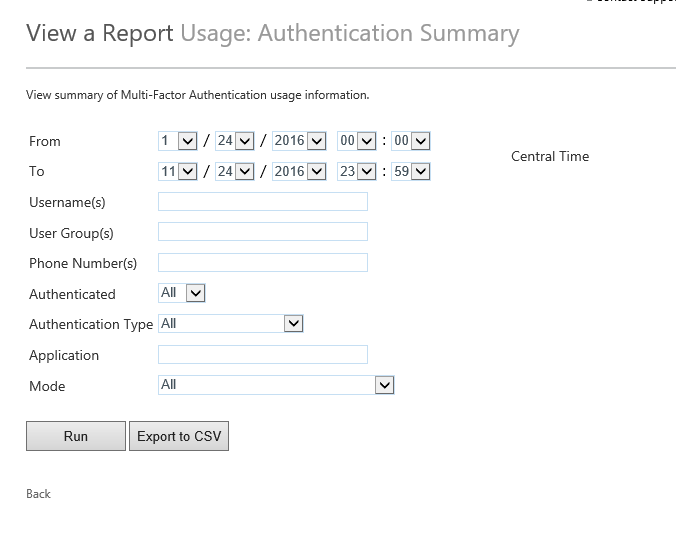
  8. Click Summary
  9. Select 1 month back
  10. Click Run
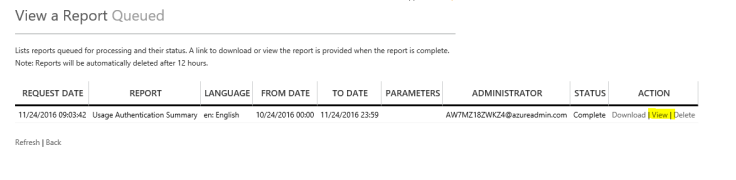
  11. Go to Queued Reports
  12. Click on View Report

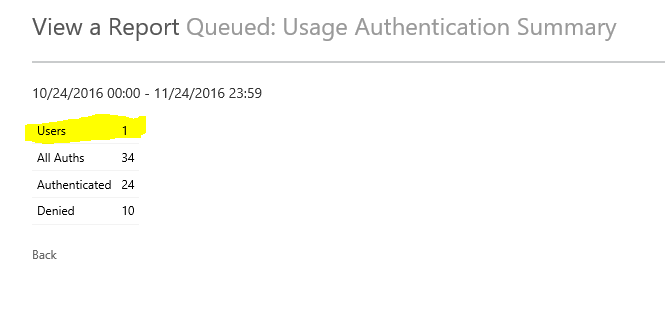
You can also see reports sorted on users and how much they log in.

go-to-portalview-azure-mfa-reportauth-summaryqueued-raportsview-reporttotal-users


Enable Bitlocker Check in Intune MDM

When joining a Windows 10 device to Azure AD which supports “InstantGo” or “Connected standby” e.g. Surface. Microsoft Automatically enables bitlocker.

For all other devices you need to manually enable bitlocker on your drive.

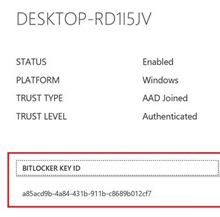
As an IT admin you can create a Compliance Policy that checks if Bitlocker has been enabled. Here is how:

  1. Log in to http://manage.microsoft.com
  2. Click Policies and Compliance Policy
  3. Click Add
  4. Name: Bitlocker Check
  5. Description: Checks if bitlocker is enabled
  6. Under device health enable Windows Device Health Attestation.
  7. Deploy the policy to your target users or groups
  8. Check for compliance.

windows-device-health-attestation-bitlocker

How to enable Azure MFA for Online PowerShell Modules that don’t support MFA?

Nice point at the end!
Jan Vidar Elven's avatarGoToGuy Blog

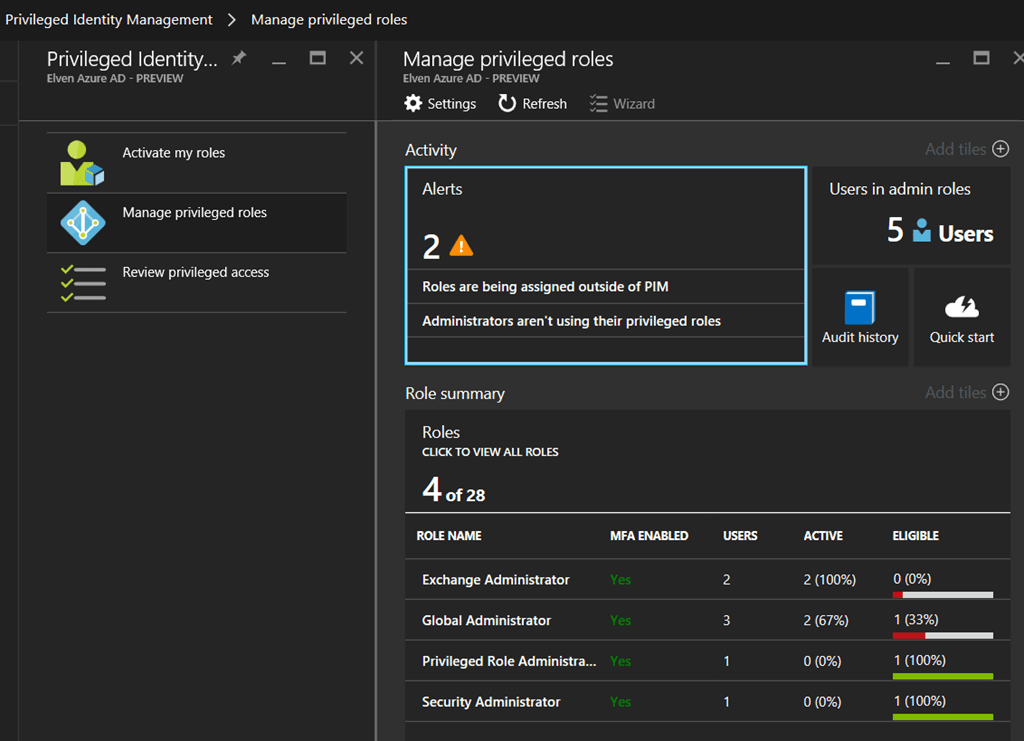
In this blog post I will look into how you can accomplish Azure Multi-Factor Authentication for Admins even though the Online PowerShell Module don’t support it. The key to do this is to implement and use Azure AD Privileged Identity Management, which is an Azure AD Premium P2 / EMS E5 feature.

The Problem

Administration of Online Services with PowerShell can be done with different PowerShell modules or for some scenarios setting up a remote session to the Online Service.  But not all scenarios support Azure MFA natively.

A quick overview of the main modules that DO support Azure MFA today:

View original post 1,985 more words

Azure AD & Intune Enrollment Sways

This post will now be a list of Sway’s for enrollment into Azure AD and Intune.

  • Windows 10 Pro Azure AD join
  • Windows 10 enterprise Education Azure AD Join
  • Azure MFA enrollment
  • Ipad into intune

Windows 10 Professional

Windows 10 Enterprise / Education

Azure MFA Enrollment

Ipad

Blog at WordPress.com.

Up ↑