Search

Håvard Siegel Haukeberg

Paste life: Ctrl+C -> Ctrl+V

Tag

esu

Getting Access to ESU licenses (and others)

Microsoft has moved all Volume Licensing (VL) contracts to Microsoft 365 Admin center. Here is the direct link: https://admin.cloud.microsoft/?#/subscriptions

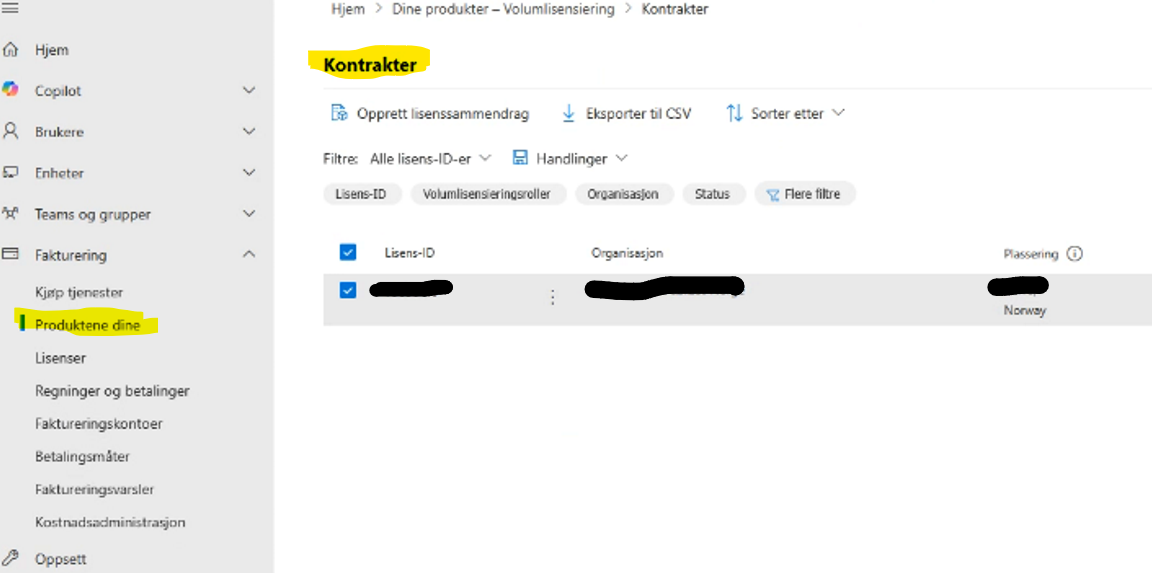
To get licenses or keys from a Volume Licensing contracts, you need to ensure that you have access. To see if you have access navigate to Admin Center -> Billing -> Your Products

Here you should see a pane called “Volume licensing”

If you do not see this menu then you need to contact the person that signed the agreement. You can also contact your partner and/or Microsoft.

If you see this menu then click it in order to get the modern Volume Licensing Management view. Here you can download software, claim keys, manage users and more. Top left there is a button called “My contracts”. Here you can make sure that you have access to the latest agreement.
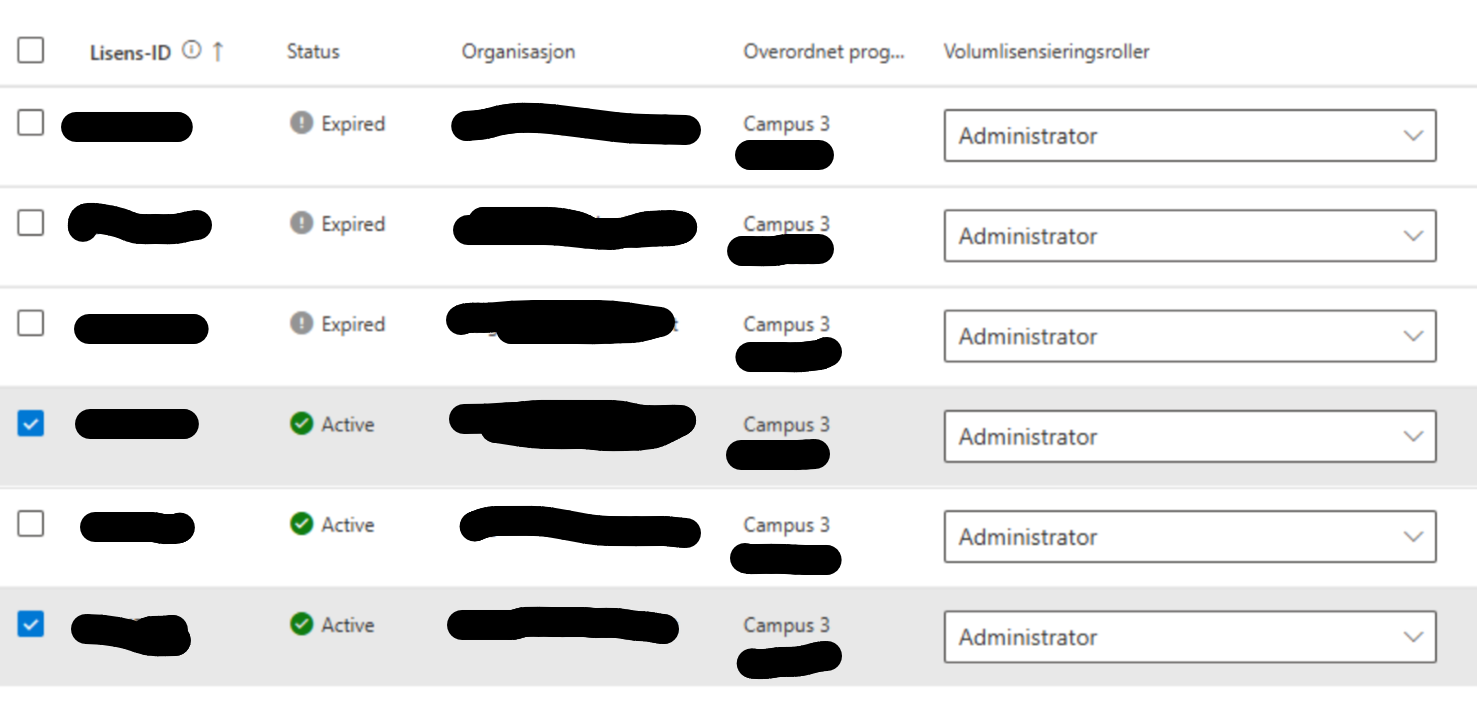
Note: Being an administrator for an agreement does not give you any admin rights in M365. I reccomend for most organizations to set people as Administrators. Most people need to do multiple tasks like see licensing keys and download software. It is extra work to manage this at a granular level. There is no automation.

On that main page there is also a “manage” button, bottom right. This button lets you see who has access to agreements and what their status is.
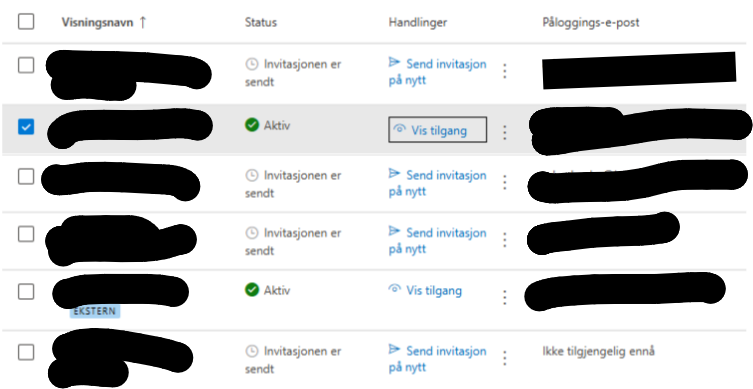
Note: To remove access click “vis tilgang” and remove any agreement rights not needed. Then click save.
Using Windows 10 End of Support Keys

If you have purchased Windows 10 End of Support (ESU) then you need to update the Keys on the respective devices in order to get windows updates. Keys are provided as MAK (Multiple Activation Key) and need to be distributed to the clients.
The ESU keys need to be purchased on an agreement. Its not avaliable self service or for consumers.

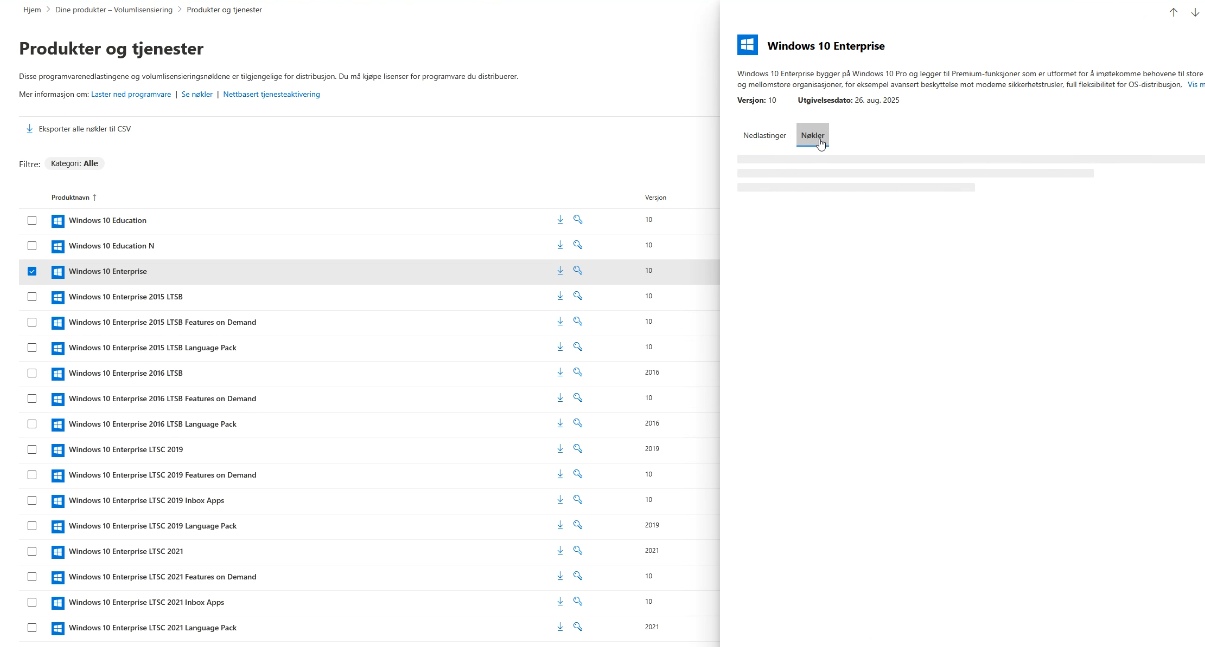
Keys are claimed from the licensing page in M365 Admin center and will show up in this list. NOTE: I don’t have ESU myself in this list. https://admin.microsoft.com/adminportal/home#/subscriptions/vlnew

If you don’t see the ESU key or no keys for that matter, or mabye even you don’t have access. Then you need to be added. That can be done by an administrator for the agreement or by your partner. Check access to view licenses? Click Invoicing->Your Products->Contracts then look for your agreement. Need to claim your volume license (VL) keys for Microsoft products?

Here is the full guide on how to obtain and deploy the MAK keys https://learn.microsoft.com/en-us/windows/whats-new/enable-extended-security-updates#get-the-product-keys-for-activating-extended-security-update-esu-licenses

No internet? No problem, use phone to activate the product. First apply the MAK key then ring in to Microsoft in activate. See link below:
https://learn.microsoft.com/en-us/windows/whats-new/enable-extended-security-updates#activate-esu-keys-by-phone

KMS activation is not avaliable for ESU keys.

Windows 10 ESU will double in price for the next two years.

Disclosure: Written at work for Microsoft Norway as a response to a customer question.

Blog at WordPress.com.

Up ↑