Search

Håvard Siegel Haukeberg

Paste life: Ctrl+C -> Ctrl+V

Category

Coding without code

Did I just send that? Recall Mail in Outlook

It can happen, you sendt something. Know that if the user opened the mail, you can not do anything about it. However if your mail has not been read you can recall it.

Anyhow, just try this:


call-back-mail
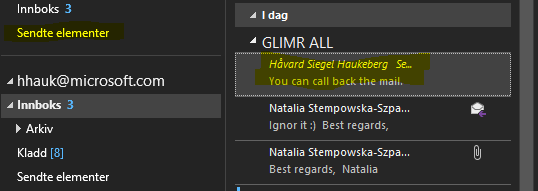
Ops, should I have sendt that?
mail
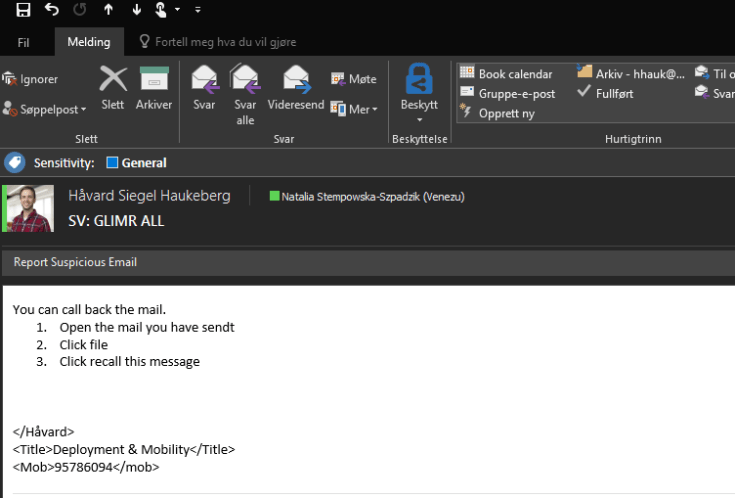
Open the mail


recall
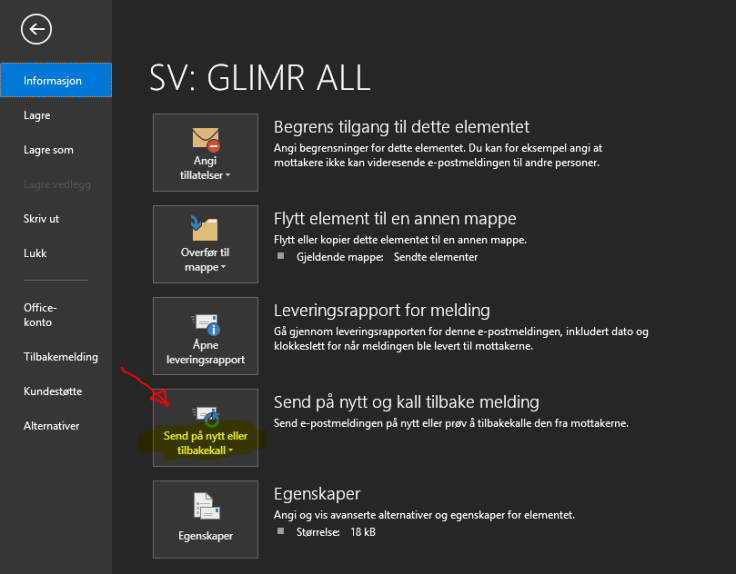
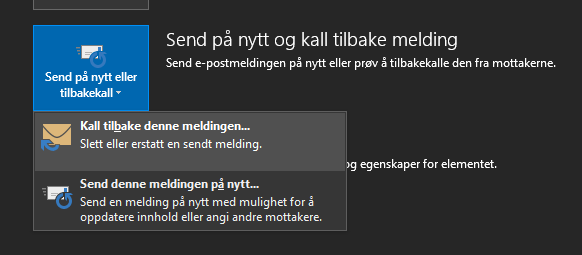
Click file and click the “Recall button”


recall-button-step-2
You can recall and replace if needed
recall-option-outlook
Delete messages and/or replace them with a new one?


Review Azure MFA or SSPR Activity / Consumption

If you want to know how users are consuming Azure MFA or Self Service Password Reset this is where you find that info:

Self Service Password Reset log:

  1. Go to http://manage.windowsazure.com
  2. Click on Directory
  3. Click on your Azure AD directory
  4. For SSPR click here:sspr-activity

For Azure MFA activity log:

  1. Go to http://manage.windowsazure.com
  2. Click on Directory
  3. Click on your Azure AD directory
  4. Click Configure
  5. Scroll Down to Multi-Factor Authentication and click: Manage Service settings
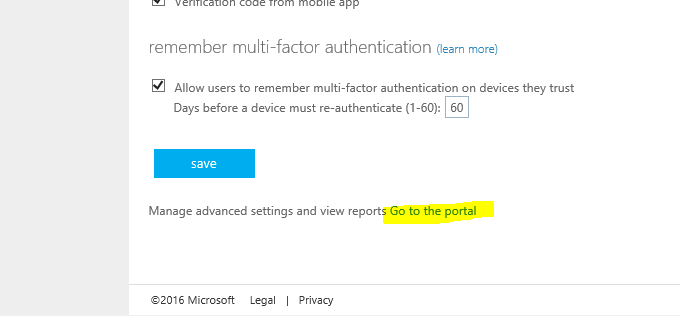
  6. Click “Go to the Portal” at the very bottom
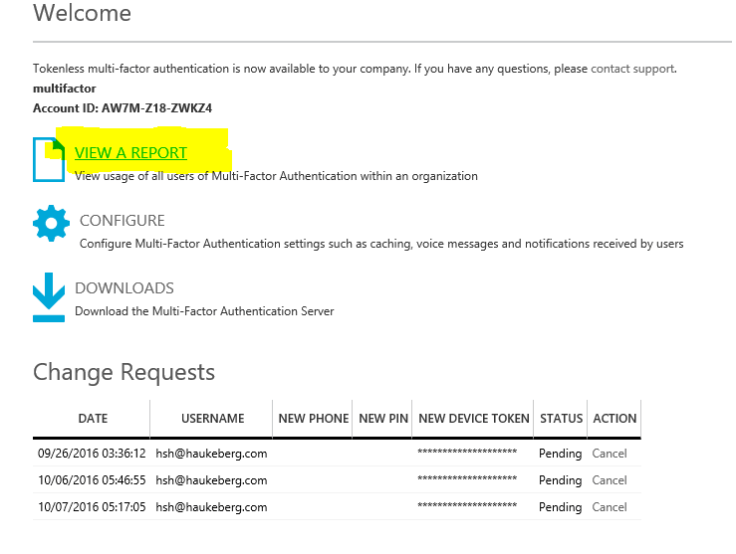
  7. Click View Report
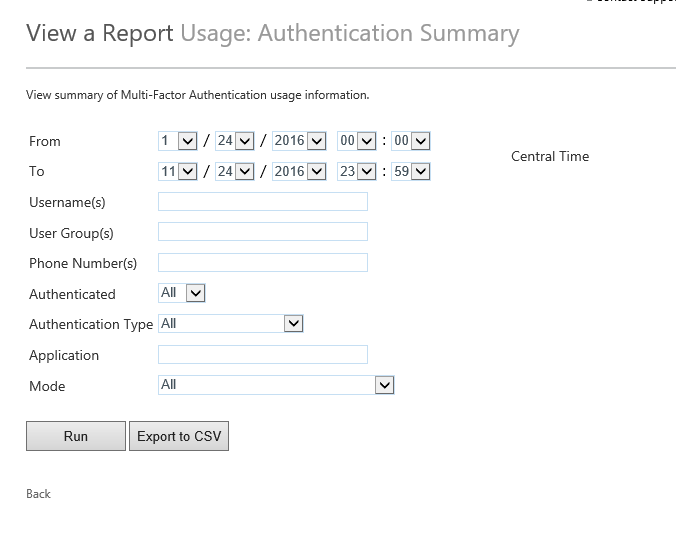
  8. Click Summary
  9. Select 1 month back
  10. Click Run
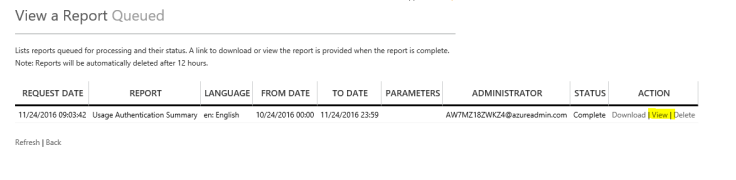
  11. Go to Queued Reports
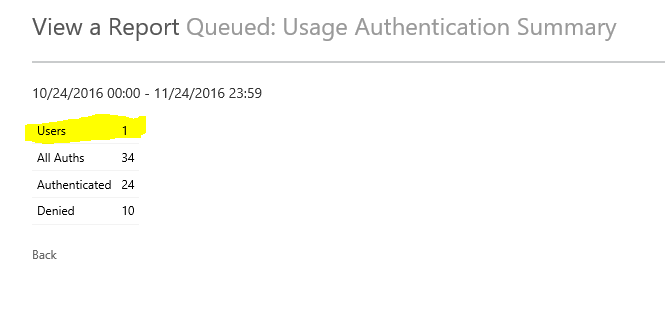
  12. Click on View Report

You can also see reports sorted on users and how much they log in.

go-to-portalview-azure-mfa-reportauth-summaryqueued-raportsview-reporttotal-users


Enable Bitlocker Check in Intune MDM

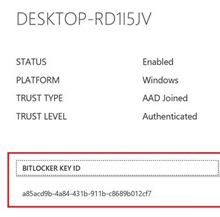
When joining a Windows 10 device to Azure AD which supports “InstantGo” or “Connected standby” e.g. Surface. Microsoft Automatically enables bitlocker.

For all other devices you need to manually enable bitlocker on your drive.

As an IT admin you can create a Compliance Policy that checks if Bitlocker has been enabled. Here is how:

  1. Log in to http://manage.microsoft.com
  2. Click Policies and Compliance Policy
  3. Click Add
  4. Name: Bitlocker Check
  5. Description: Checks if bitlocker is enabled
  6. Under device health enable Windows Device Health Attestation.
  7. Deploy the policy to your target users or groups
  8. Check for compliance.

windows-device-health-attestation-bitlocker

How to enable Azure MFA for Online PowerShell Modules that don’t support MFA?

Nice point at the end!

Jan Vidar Elven's avatarGoToGuy Blog

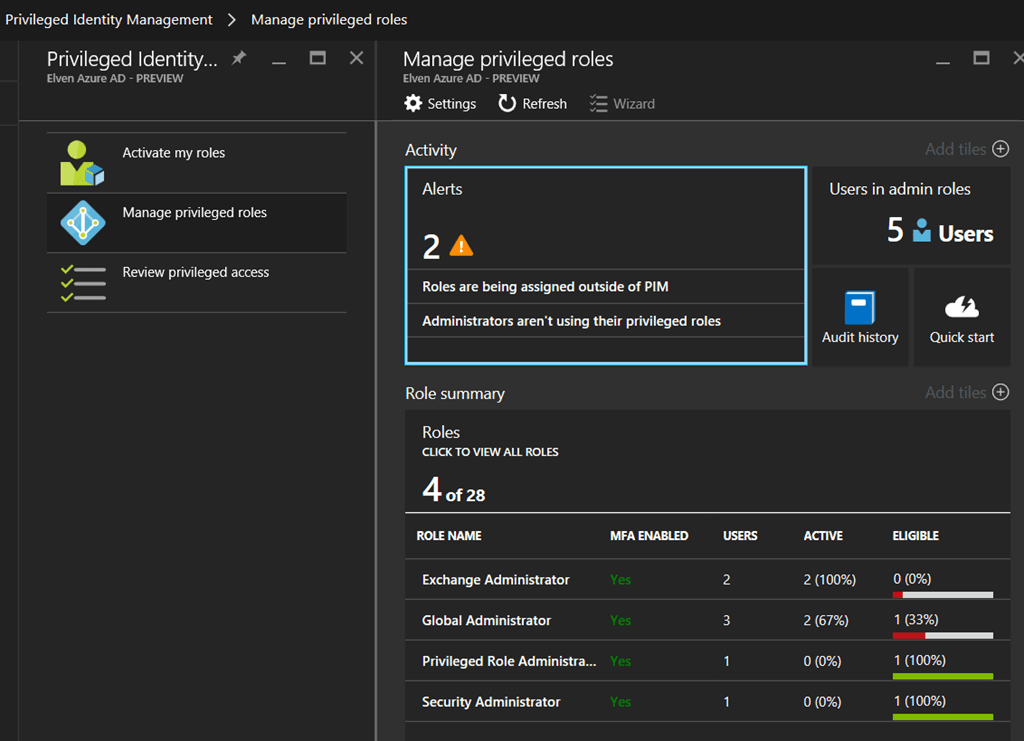
In this blog post I will look into how you can accomplish Azure Multi-Factor Authentication for Admins even though the Online PowerShell Module don’t support it. The key to do this is to implement and use Azure AD Privileged Identity Management, which is an Azure AD Premium P2 / EMS E5 feature.

The Problem

Administration of Online Services with PowerShell can be done with different PowerShell modules or for some scenarios setting up a remote session to the Online Service.  But not all scenarios support Azure MFA natively.

A quick overview of the main modules that DO support Azure MFA today:

View original post 1,985 more words

Azure AD & Intune Enrollment Sways

This post will now be a list of Sway’s for enrollment into Azure AD and Intune.

  • Windows 10 Pro Azure AD join
  • Windows 10 enterprise Education Azure AD Join
  • Azure MFA enrollment
  • Ipad into intune

Windows 10 Professional

Windows 10 Enterprise / Education

Azure MFA Enrollment

Ipad

Benchmark for SanDisk Ultra 2 mSATA SSD

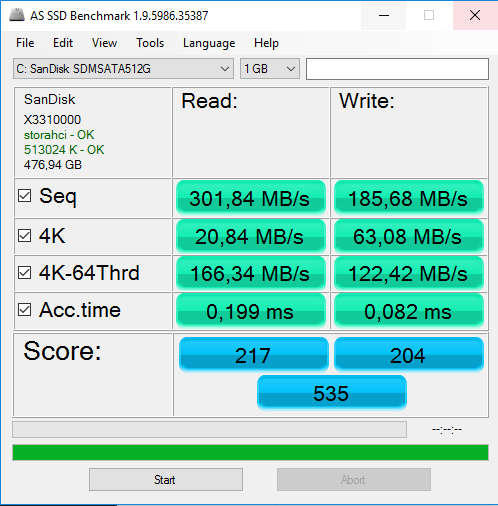
I bought a brand new SanDisk Ultra® II mSATA SSD for my PCI-e mSATA adapter. Did it to get more space for games. A 256GB Wave chip was replaced with a 512GB chip.

I did a benchmark with AS SSD Benchmark tool version 1.9. Here is the result:

Running Windows 10 1607

Note that this score is less than the Wave 256GB chip that was really cheap.

Få Office 365 tjenester så fort som mulig med First Release

Office 365 Staff Hub og Office 365 Planner er produkter som rulles ut til Office 365 kontoer. Flere nye tjenester vil komme i fremtiden.

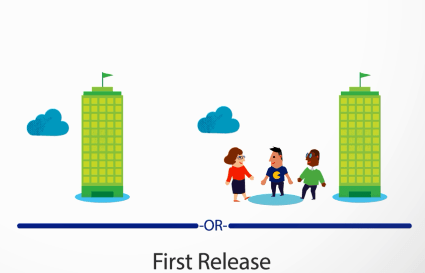
Hvis du ønsker å få dette så fort som mulig inn på din Tenant må du sørge for å ha aktivert First Release. Slik gjør du.

  1. http://portal.office.com
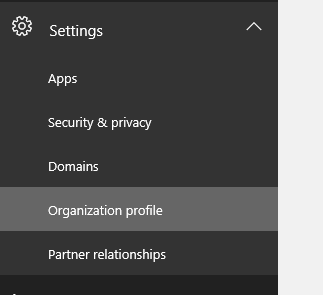
  2. Settings
  3. Organizational Profile
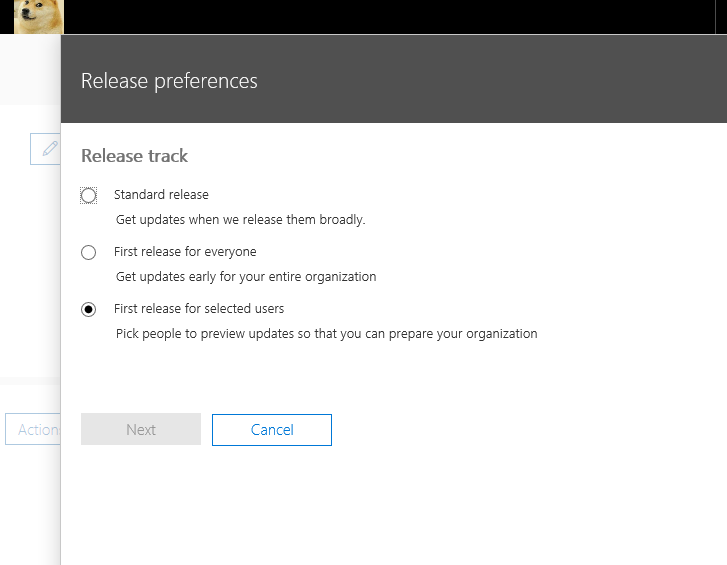
  4. Click on Actions on the First Release Preferences
  5. Select Edit
  6. Select First Release for everyone or just someone
  7. Click Next
  8. That’s it, now you wait

settings-in-office-365

release-preferences-in-office-365

first-release-for-some-or-all-users


Giving Microsoft Classroom to teachers and students

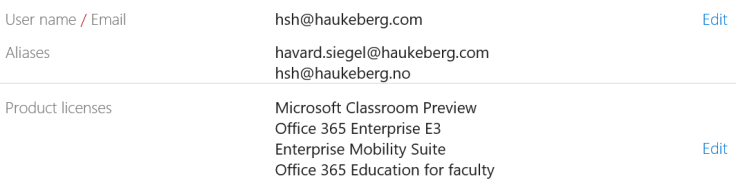
Once you have gotten Microsoft Classroom licenses you need to make sure that licenses are applied correctly to the teachers and students. Microsoft uses the Office 365 licenses to identify if you are a teacher or student. In case you are using school data sync (SDS) then this will be taken care of there.

Here is the right license assignment you need:

Teachers:

  • Microsoft Classroom
  • Office 365 Education for Faculty

larerlisenserStudents:

  • Microsoft Classroom
  • Office 365 Education for Students

elev-lisenser

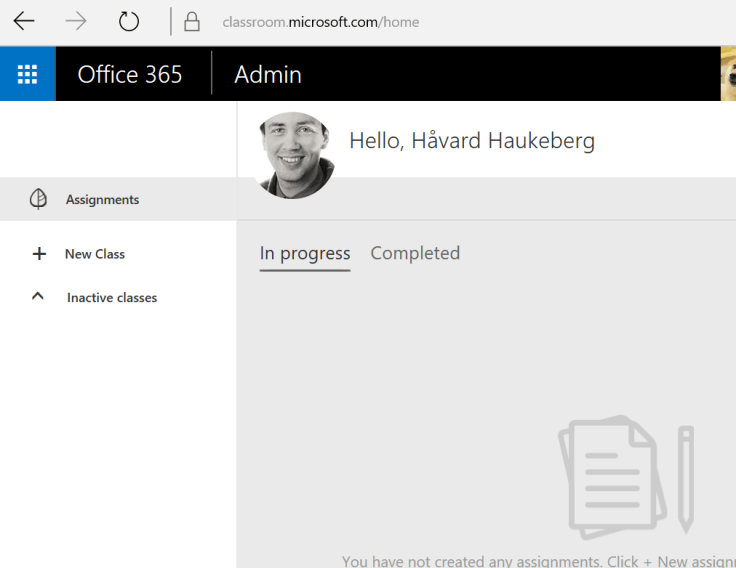
Now, log on as a teacher and start making classes.

create-a-assignment


Deploy your App to Windows Store for Business

In the new Windows Store for business you can deploy any number of apps to your own private windows store for business.

Prerequsites:

  1. Developer account here: http://developer.microsoft.com
  2. Linked developer account to windows store for business organization here: https://businessstore.microsoft.com

The deployment will be handled by our Windows Store agent and is mostly self service.

Here is how you deploy to Windows Store for Business:


1-dashboard-link
Click Dashboard


create-new-app
Create a new submission
start-submission-to-windows-store-for-business
Start the submission of your app
windows-store-submission
Place it in the Windows Store for Business


publis-to-windows-store-for-business
Select organization and deploy


From this guide:

https://technet.microsoft.com/itpro/windows/manage/working-with-line-of-business-apps

Blog at WordPress.com.

Up ↑